iBlueControlMod SNES Bluetooth Wireless Controller Internal Adapter For JP SFC Bluetooth Gamepad Adapter
Note1: This kit can only be used with our Applications(iBlueControlMod config).
Note2: this kit not \'BlueRetro mod\'. BlueRetro APP can\'t use on this kit.
Note3: the game console and controller aren\'t included
Don\'t upgrade \'BlueRetro firmware\' to this kit! Otherwise, this kit will be damaged.
Compatible adapter is a high speedBluetooth controller interface that opens retro consoles up to the plethora ofmodern controllers with latencies that even some wired adapters can\'t manage.
This new board allows for the use of up to 2connected Bluetooth controllers,
and can be mixed and matched with wired controllers on any of the ports forseamless to 2Bluetooth controllers can be paired at once.
No need welding, no outside extension wires.Easy installation, good choice for green hands, just open shell and
put the mod adapter inner machine to enable consoles connecting wireless
joypads.Easy firmware update tool that only requires a Bluetooth enabled
device like a computer (incompatible phone).Configurable button mapping using a applications software on a
computer.Dreamcast wired controllers are still available after updating this Bluetooth
mod.Built in LED indicator, make connecting more clear.Simple installation.Reset Button Usage:
The reset button on the console has been
converted to offer new functionality based on how long you hold the button
down. While it is being pressed the front ports will light up to show which
state you will be enabling.
1.Holding for 0-3 seconds will test whether all 4 ports are working properly.
In this state all four front port LEDs will be solid on.
2.Holding for 4-6 seconds will disconnect
all connected Bluetooth controllers
In this state all four front port LEDs will
be slowly blinking.
3.Holding for 7-9 seconds will enable
pairing mode
In this state all four front port LEDs will
be blinking faster
4.Holding for 10 seconds or more will
factory reset to the original firmware and remove any custom configs
In this state all four front port LEDs will
be blinking rapidly.
5. Hold reset button while powering on the iBlueControlMod
adapter will be in sleep mode and will not interfere with the console use this
in the event that a peripheral is not working nicely with iBlueControlMod.
NOTE: Please pairing the wireless controller first if the wireless controller never pairing with this iBlueControlMod before.
--- Power off the JP SFC console and then power on it again, willenable the pairing mode. (Or, Holding the reset button for 7-9 seconds will also enable pairing mode.)
Include:
1x iBlueControlMod adapter for JP SFC.
1xSD Card (include iBlueControlMod Applications and manual.)
When you click on links to various merchants on this site and make a purchase, this can result in this site earning a commission. Affiliate programs and affiliations include, but are not limited to, the eBay Partner Network.

 iBlueControlMod Bluetooth Wireless Controller Internal Adapter For PS2 Fat$49.80
 Wireless Bluetooth Internal Adapter iBlueControlMod For SEGA Dreamcast Console$52.30
 SEGA DC Bluetooth Wireless Controller Internal Adapter For Sega Dreamcast$49.80
 NGC iBlueControlMod Wireless Bluetooth Controller Internal Adapter For GameCube$52.30
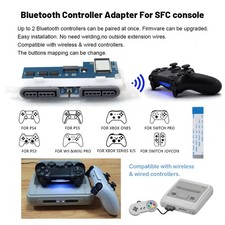 iBlueControlMod Bluetooth Wireless Controller Internal Adapter For JP SFC$49.80
 For SEGA DreamCast DC iBlueControlMod Gamepad Wireless Bluetooth Controller$49.80
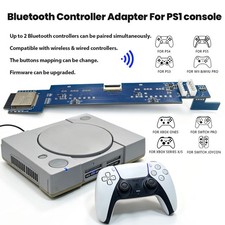 iBlueControlMod Bluetooth Wireless Controller Internal Adapter PCB Board For PS1$49.80
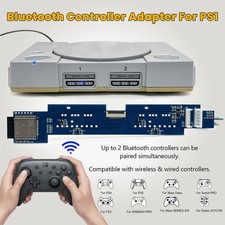 Wireless controller iBlueControlMod Bluetooth Internal Adapter PCB Board For PS1$49.80
 www.userbars.org














