|
>> If you dont know how to design a userbar, then write here a Userbar that you want.
>> If you know how to design them help these people and design what they request.
|
 |
|
USERBARS.org | Free Forum Userbars
| On eBay now |

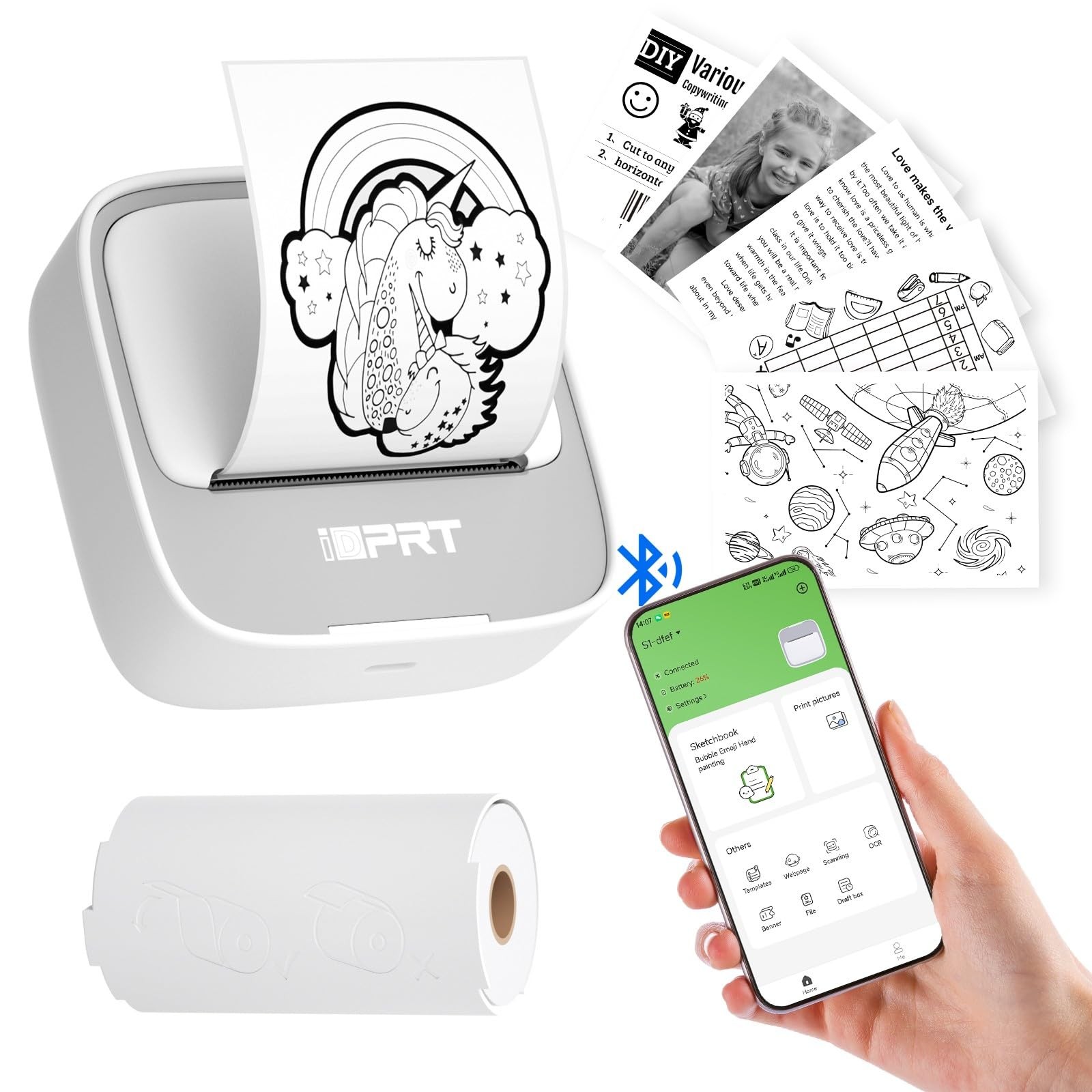
iDPRT Mini Sticker Maker Portable Printer with 1 Roll Portable, Grey
$26.86

iDPRT Mini Sticker Maker Portable Printer with 1 Roll Portable, Grey Product Details - Portable & Compact Design: Our mini thermal sticker printer is a compact and portable wireless printers, perfect for students, professionals, and DIY lovers. Easily carry this small wireless printer in your bag or pocket to print study notes, labels, or to-do lists anytime, anywhere. With bluetooth printer for iPhone and Android compatibility, it’s your ideal portable sticker maker
- Inkless Printing: No ink or toner needed! This small printer uses thermal technology to deliver crisp, 203dpi black-and-white prints. It’s cost-effective, mess-free, and green—just load the thermal sticker paper and start printing. Perfect as a small printer for home use or a travel printer for on-the-go creativity
- User-Friendly App with Templates: Our app offers customizable fonts and templates for creative printing. Connect this wireless printer via Bluetooth to print labels, or photos effortlessly. You can use the \"scan\" function of this mobile printer to quickly print out clear learning graphics to help students learn efficiently
- Package Included: 1 x Mini Sticker Printer, 1 roll thermal paper ( 2 inches wide ) and user manual (USB charger cable not included), When using this S1 portable printer, please pull the paper roll out 1-2cm, press and close the paper bin lid. It’s a practical tool that fosters creativity and makes printing a fun experience
- Note: When installing the thermal paper, you need to pull the thermal paper 2 cm away from the paper outlet. If the light flashes or the application displays \"Out of Paper\" during use the tiny printer, check that the cover is securely closed and the paper is properly loaded and facing up. If you experience blurred printing, try opening the printer cover, pressing the center, and then reprinting
When you click on links to various merchants on this site and make a purchase, this can result in this site earning a commission. Affiliate programs and affiliations include, but are not limited to, the eBay Partner Network.
|
|
|
|
|
|

 iDPRT Mini Sticker Maker Portable Printer with 1 Roll Portable, Grey $26.86
 iDPRT Mini Printer with 1 Roll Sticker Paper, Portable Sticker Printer Efficient$23.97
 iDPRT Mini Printer with Sticker Paper, Portable Sticker Printer Efficiently and $15.99
 iDPRT Mini Printer with Sticker Paper, Portable Sticker Printer Efficiently and$27.97
 iDPRT Mini Sticker Printer Sticker, Thermal Maker Machine with 1 Roll Paper$32.85
 iDPRT Mini Sticker Printer Sticker, Thermal Maker Machine with 1 Roll Paper$29.99
 iDPRT Portable Sticker Maker Machine with 1 Roll Paper, Mini Grey $32.99
 iDPRT S1 S2 Mini Thermal Sticker Paper (57x29mm, 3.5m/Roll) for Most Instant$22.04