The UniOP eTOP05 is a classic industrial HMI (Human Machine Interface) from the eTOP series, manufactured by Exor. It was widely used throughout the 2000s and 2010s as a compact, reliable interface for PLCs in various manufacturing environments.
While it is now considered a legacy product, its robust hardware means thousands are still in active service today.
1. Key Technical Specifications
The eTOP05 is a 5.6-inch monochrome display, optimized for text-heavy interfaces and basic machine control.
FeatureSpecificationDisplay Type5.6-inch Blue Mode Monochrome LCDResolution320 x 240 pixels (QVGA)Touch PanelAnalog ResistiveBacklightCCFL (Cold Cathode Fluorescent Lamp)Memory512 KB Flash (for project data)Input Power24V DC2. Communication and Connectivity
The eTOP05 is highly versatile due to its support for a massive library of PLC protocols. It features a modular communication approach:
PC/Printer Port: A 15-pin D-Sub connector used for programming the unit or connecting a serial printer.
PLC Port: Supports RS-232, RS-422, RS-485, and 20mA Current Loop.
Optional Modules: The rear of the unit has a slot for TCM (Technical Communication Modules) to allow for Ethernet, Profibus, CANopen, or DeviceNet connectivity.
3. Programming Software: JMobile vs. Designer
The eTOP05 is primarily programmed using Designer 6 (often referred to as UniOP Designer).
Legacy Support: It does not support the modern JMobile software used by newer Exor/UniOP panels.
Protocol Library: One of the strengths of Designer 6 is its ability to communicate with almost any PLC (Allen-Bradley, Siemens, Omron, Mitsubishi, Modbus, etc.) using dedicated drivers.
4. Common Maintenance Issues
As these units age, two specific hardware components are likely to fail:
The Backlight (CCFL): If the screen is powered but remains dark (you can see faint text if you shine a flashlight on the glass), the CCFL bulb or the high-voltage inverter has failed.
The Touch Overlay: If the screen responds in the wrong place or not at all, the resistive overlay may be \"pitted\" or worn. You can attempt a recalibration through the system menu.
The Internal Battery: There is a small lithium battery inside used to maintain the Real-Time Clock (RTC). If the HMI loses its date/time settings after a power cycle, the battery needs replacement.
5. Accessing the System Menu
To configure the IP address or perform a touch calibration, you must enter the Internal Setup Mode:
Power off the unit.
Power on while touching the screen (typically the top-left corner, though this varies by firmware).
The \"System Menu\" will appear, allowing you to change communication parameters or clear the project memory.
When you click on links to various merchants on this site and make a purchase, this can result in this site earning a commission. Affiliate programs and affiliations include, but are not limited to, the eBay Partner Network.

 UniOP eTOP05-0045 5 in Touchscreen HMI Touch Panel, PLC, 24VDC 0.6A (NOS)$1,690.00
 UniOP eTOP05-0045 HMI Touch Screen Operator Panel$400.00
 UniOP eTOP05 touchscreen display $464.06
 One Pcs for UniOP eTOP05-AF45 eTOP50-0045 Touch screen + overlay$200.00
 New In Box UNIOP ETOP05-0045 Touch Screen$98.22
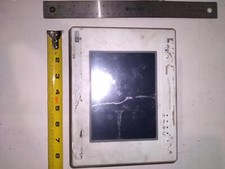 Exor UniOP eTOP05-0045 HMI Touch Screen Operator Panel 24VDC 0.6A Industrial$407.89
 New In Box UNIOP ETOP05-0045 Touch Screen$97.00
 UniOP SITEK eTOP05EB-DF50 HMI BOARD ** Defective Touch screen$125.00
 www.userbars.org














