SystemRescue 13.03 is the latest release of SystemRescue, a Linux system rescue toolkit — released November 7, 2026. It is a rescue and repair tool for when a computer will not boot or a disk needs fixing — NOT a general desktop operating system. It boots into a live rescue environment with a graphical desktop, partition tools, filesystem repair, backup and data-recovery tools, and it runs entirely from the disc or USB with nothing installed on your computer.
**What it does:**
• Boots into a live rescue environment straight from the disc or USB — a working rescue system you can use without installing anything
• XFCE graphical desktop with GParted — create, resize, move and repair disk partitions with a graphical tool
• Partition and filesystem tools — GNU Parted, filesystem repair tools for Linux and Windows filesystems (ext4, XFS, Btrfs, NTFS, FAT)
• Back up and clone drives with FSArchiver, and recover data from a failing drive with ddrescue
• TestDisk — check and undelete partitions; Memtest — test your computer\'s memory, the first thing to check after a crash
• Back up data from a Windows computer that will not boot, repair GRUB, and work on Linux and Windows systems alike
• Network tools included — back up your data across the network with Samba, NFS, SSH and rsync
• Free and open source — the Arch-based rescue toolkit, built for repairing systems and rescuing data
**What does \'bootable\' mean?**
Bootable means the DVD or USB can start your computer by itself. Insert the disc or USB, boot from it, and the SystemRescue rescue environment loads without touching the system already on your computer.
**What does \'Live bootable\' mean?**
Live bootable means the disc or USB runs the full rescue environment straight from the disc or USB without installing anything, so you can repair a system and nothing on that computer is changed. There is no desktop installer — SystemRescue is a rescue tool, not a desktop operating system you install for daily use; the rescue system itself can be copied to a USB stick or a local disk following the project\'s manual if you want it always at hand.
**You get:**
A physical bootable DVD or USB with the official SystemRescue 13.03 image. Pick your version when you order. **No Retail box.**
**PLEASE READ BEFORE YOU ORDER:**
• This is a rescue and repair toolkit, NOT a general desktop operating system — it is the tool you boot when a computer will not start, a partition is damaged, or data needs recovering. It is not a replacement for your everyday operating system.
• This DVD fits a regular single-layer DVD with room to spare — no dual-layer disc needed.
• Secure Boot must be turned OFF in your computer\'s settings before booting from this disc or USB. SystemRescue does not support Secure Boot.
• SystemRescue runs live from the disc or USB — there is no desktop installer and nothing is installed on your computer.
• Your computer needs at least 2 GB of memory (4 GB if you cache the system into RAM), and a 64-bit PC.
• If you already have SystemRescue 13.03, this is the same release — there is nothing newer to upgrade to.
**Works with:**
A 64-bit (x86-64) PC. At least 2 GB of memory (4 GB if you cache the system into RAM). The USB version needs a 2 GB or larger USB drive. The DVD version fits a regular single-layer DVD and boots from it.
**Explore more products at TechTrends.Computer.**
When you click on links to various merchants on this site and make a purchase, this can result in this site earning a commission. Affiliate programs and affiliations include, but are not limited to, the eBay Partner Network.

 SystemRescue 13 Bootable USB Flash Drive$19.95
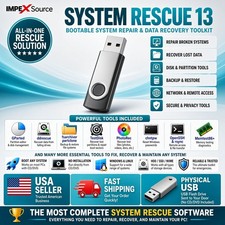 System Rescue Computer Maintenance Diagnostic Repair Data Recovery Bootable USB$17.97
 SystemRescue 13 Bootable DVD – System Rescue CD 2026 Version$8.99
 SystemRescue 13.03 Bootable DVD/USB Latest Version$11.99
 SystemRescue Bootable CD PC Repair Data Recovery Partition Manager Windows Linux$15.99
 Linux SystemRescue V12.03, 64-bit, Bootable Live USB Flash Drive$14.50
 SystemRescue 8.0.4 Live 32bit DVD Bootable Rescue Disk Utility Toolkit$19.99
 System Rescue CD PC Computer Maintenance Diagnostic Repair Data Recovery Boot CD$15.97
 www.userbars.org













