|
>> If you dont know how to design a userbar, then write here a Userbar that you want.
>> If you know how to design them help these people and design what they request.
|
 |
|
USERBARS.org | Free Forum Userbars
| On eBay now |

SLACKWARE LINUX OS LIVE BOOT USB, DVD LATEST 15 MATE, XFCE, LEAN, 64BIT
$9.99

🔥 SAVE BIG ON LINUX MEGA PACKS 🔥 🛒 VISIT MY store LINK HERE 🛒 🚚 Ships Worldwide in Tamper Proof PackagingSLACKWARELINUX OS PERFECT FOR OLD & NEW DEVICES! 64-Bit(Live Boot, Full Installation)BRAND NEW USB FLASH DRIVE What is SLACKWARELINUX OS?The Official Release of Slackware Linux by Patrick Volkerding is an advanced Linux operating system, designed with the twin goals of ease of use and stability as top priorities. Including the latest popular software while retaining a sense of tradition, providing simplicity and ease of use alongside flexibility and power, Slackware brings the best of all worlds to the table.Slackware Linux is a complete multitasking "UNIX-like" system available in both 32-bit and 64-bit versions. It's currently based around the 4.4 Linux kernel series and the GNU C Library version 2.23. It contains an easy to use installation program, extensive online documentation, and a menu-driven package system. A full installation gives you the X Window System, C/C++ development environments, Perl, networking utilities, a mail server, a news server, a web server, an ftp server, the GNU Image Manipulation Program, Mozilla Firefox, plus many more programs. Slackware Linux can run on Pentium systems all the way up to the latest x86 and x86_64 machines.Give it a try. You’ll Love it!⭐️ How to Boot Linux OS from USB?✅ Steps for Windows PC & Chromebooks Follow these easy steps: - Turn-off your computer
- Insert the USB into any available USB port
- Switch on your computer
- Press the key that allows your computer to boot to an alternate device (ESC on many HPs, F12 on many Dells, F8 on many custom builds, yours may vary, see your computer's documentation)
- At the Book-up screen, select Boot from USB Interface option, press enter.
- Follow on-screen links for initiate OS.
- Wait for system to boot into LinuxOS.
- That's it! Enjoy!
✅Step for Apple Macs Devices Follow these easy steps: - Turn-off your computer
- Insert the USB into any available USB port
- Switch on your computer
- Press the Option keyon your keyboard to go the boot menu
- Select EFI Book
- Follow on-screen links for initiate OS.
- Wait for system to boot into Linux OS.
- That's it! Enjoy!
When you click on links to various merchants on this site and make a purchase, this can result in this site earning a commission. Affiliate programs and affiliations include, but are not limited to, the eBay Partner Network.
|
|
|
|
|
|

 SLAX Linux 3-in-1 Bootable USB Drive Slackware 15.04 Debian 12.2.0 64 & 32 Bit$12.99
 Walnut Creek CDROM Slackware Linux 4.0 CD set 4 discs, English, Open Source$329.21
 SLACKWARE LINUX OS LIVE BOOT USB, DVD LATEST 15 MATE, XFCE, LEAN, 64BIT$9.99
 Puppy Linux 9.5 Installation Disc: BOOTABLE, LIVE FOSSA PUP LITE LINUX SLACKWARE$12.49
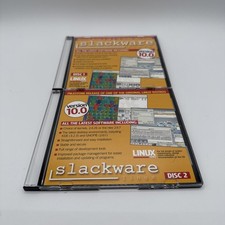 Slackware Linux 10.0 2 CD-ROM Set Linux Format Issue 57 September 2004$19.99
 Slackware Linux 15.0 Bootable DVD/USB Latest Version$11.99
 Puppy Linux Live Bootable Install DVD 32-bit 64-bit Lightweight OS for Old PC$6.99
 Vintage Slackware Linux 3.3 July 1997 4 Disc Set$94.99










