Router Accessories Woodworking – Large Corner Radius Jig – Selectable Curves
- SHAPE WITHOUT GUESSWORK — When your wooden project needs rounded corners, marking and shaping each curve freehand turns one detail into a separate job at every corner. This large corner radius jig gives your router a curved profile to follow, so you cut the shape from a guide instead of judging it by eye. Use it at your workbench when square wooden corners need a smooth, rounded outline.
- CHOOSE YOUR CURVE — Select the radius option that gives your wooden workpiece the corner shape you want before you start routing. Different curves change the outline of your project, so you choose the profile for the part in front of you rather than settling for a single rounded shape. From a shelf project to a wooden panel, the template turns your chosen curve into a path for your router.
- SECURE YOUR TEMPLATE — Use the attachable side bumpers to secure the template before routing, keeping the selected profile positioned at the corner while you work. Set up at your bench before bringing your router to the wood, with the guide ready for the cut.
- FOLLOW A CLEAR GUIDE — Position your wooden workpiece against the guide, then use your router with a flush-trim bit to follow the selected rounded profile. The guide gives you a reference for placing the wood before the cut, connecting your setup to the corner shape you chose. For a wooden part on your workshop bench, that means working from a defined curve rather than steering around a pencil mark.
- MATCH THE NEXT CORNER — Repeat the routing process with the same selected profile when your project calls for matching rounded corners. Carry that curve from one corner to the next instead of drawing a fresh shape each time, keeping the outline consistent across your woodworking project. WHAT\'S IN THE BOX — Only the item named in the title. No hardware is included (see the description).
Rounded corners look simple until you have to mark and shape the same curve again. On your next woodworking project, you want the corners to match without working out every outline freehand.
This large corner radius jig gives your router a curved template to follow when rounding a wooden workpiece. Choose from the radius options to get the profile you want, then secure the template using the attachable side bumpers. Position your wood against the guide and use your router with a flush-trim bit to follow the selected curve. The template defines the corner profile; your router makes the cut.
The choice of radius lets you decide how the rounded corner looks before you start. Whether you are shaping a shelf panel or a wooden furniture part, you work from the curve you selected instead of drawing and shaping a fresh outline at each corner. Once you have the shape you want, repeat the process wherever your project needs the same rounded profile. That repeatable approach matters when separate corners need to look like part of the same finished piece.
For woodworkers, hobbyists, DIY enthusiasts and makers, this is a bench tool for the moments when the outline of a wooden part matters as much as the straight cuts. Use it in your workshop or home woodworking space as you move from square corners to rounded ones. Set the profile, position the workpiece and follow the guide, then take the same process to the next corner.
HARDWARE NOT INCLUDED: Only the item named in the title is in the box. Every setup is different: depending on yours, mounting it or attaching it to an existing part may use hardware you already have, such as the original screws, or you may need to buy your own screws, bolts, tape or adhesive to suit your situation. No hardware of any kind is included with this listing.
When you click on links to various merchants on this site and make a purchase, this can result in this site earning a commission. Affiliate programs and affiliations include, but are not limited to, the eBay Partner Network.

 Router Accessories Woodworking – Large Corner Radius Jig – Selectable, Black$20.99
 Erie Tools 100 PC 1/4" Shank Router Bit Set Tungsten Carbide Kit$59.99
 100Pcs Router Bit Set 1/4" Shank Tungsten Carbide Tips Woodworking Router Cutter$99.99
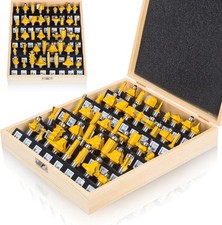 LEATBUY 43 PCS Router Bit Set 1/2-Inch Shank, Panel Cabinet Door Router... $91.98
 Acrylic Rectangle Router Template Jig W/ 3 Opening Sizes, 1/4", Includes Cut Out$18.00
 14 Pcs Aluminum Set up Blocks for Woodworking and Router Table Saw Accessories$39.81
 1/4 Inch Reversible Shank Finger Glue Joint Router Bit Cutter Woodworking Tool$15.18
 HILTEX 10108 Tungsten Carbide Router Bit Set, Woodworking Tools and Accessories,$48.02
 www.userbars.org














