📝 Full Description
🏪 Run Your Entire ShopFrom One Program
Point of Sale, Inventory, Purchasing, Customers andReports. No internet. No monthly fee. Ever.
💡 Why Shop Owners ChooseThis
Most retail software rents you your own data. You pay everysingle month, forever, and the day you stop paying, you lose access to yoursales history. If the internet drops, your till stops.
This is different. ✨
You pay one time. The software installs into its own folderon your computer. Your data lives in one file that you own outright. There isno account to create, no server to connect to, and no company sitting betweenyou and your own takings.
🔌 Unplug the internetand it still works perfectly.
🎯 What This Software Does
💳 Point of Sale ThatKeeps Up With a Queue
- 📷 Barcode scanning that works with any USB scanner, with nothing to configure
- 🔍 Search by product name, SKU, barcode, brand, or tag
- 🏷️ Line discounts and basket discounts, with a manager approval threshold you set
- 🎁 Automatic promotions: percent off, amount off, fixed price, buy X get Y, and coupon codes
- 💵 Split payments across cash, card, mobile, check, gift card, and store credit
- 🧮 Change calculated instantly, with cash rounding for countries without small coins
- ⏸️ Hold and resume baskets when a customer runs back for the milk
- 🧾 Receipts sized for 58mm and 80mm thermal rolls, carrying your logo and your wording
- 🔒 A double click or a stuck button can never post the same sale twice
📦 Inventory You CanActually Trust
- 🏢 Multiple locations and storerooms, each with its own stock levels
- 📊 Two costing methods: weighted average or first in, first out (FIFO)
- 📖 A permanent stock ledger. Nothing is ever edited or deleted, only corrected
- ⚠️ Overselling handled honestly: the shortfall is costed at the last known price and corrected automatically on the next delivery
- 🧊 Lot and batch tracking with expiry dates. The oldest batch always sells first, automatically
- 🚨 Expiry alerts, product recalls, and full lot traceability for inspections
- 🚚 Transfers between locations, with stock genuinely in transit until received
- 🔢 Blind stock counts. The expected number stays hidden until you finish counting
- ✏️ Adjustments that always carry a reason and always show up in the audit log
🛍️ Purchasing That Doesthe Thinking
- 👥 Supplier records with payment terms, lead times, and minimum orders
- 📄 Purchase orders with a proper status flow: draft, ordered, partial, received
- 📥 Partial deliveries. Receive what arrived, and the order remembers what is still owed
- 💔 Damaged units recorded separately for supplier claims
- 🚛 Landed cost. Freight is spread across the lines by value, so your unit costs stay truthful
- 🤖 Reorder suggestions built from real demand, supplier lead time, and your safety stock, minus whatever is already on order
- 📑 One draft order per supplier, created for you in a single click
👤 Customers and Loyalty
- 📇 Full contact records with customer groups: retail, VIP, wholesale, staff
- ⭐ Loyalty points earned automatically and redeemed at the till
- 💳 Store credit that customers can spend as a payment method
- 📜 Purchase history and printable customer statements
- 🔗 Duplicate detection and safe merging
🔄 Returns Done Properly
- ↩️ Returns only against the original sale, with per line limits enforced
- 🗂️ Four dispositions: back on the shelf, damaged, quarantine, or return to vendor
- 💸 Refund to the original payment method or to store credit
- 🧾 Restocking fees, if that is your policy
- 🎯 Loyalty points reversed proportionally, so nobody games the system
💰 Cash Drawer and DailyClose
- 🔓 Open a session with your counted float
- ➕➖ Paid in, paid out, and safe drops, every one with a reason
- 📈 X reports for a mid shift look without closing anything
- 🔐 Z reports produced automatically at close
- 🪙 Count by denomination. The expected figure stays hidden until you are done counting
- ⚖️ Variance recorded permanently, with a warning threshold you choose
📊 Thirty Seven Built InReports
Sales summary and detail. Sales by product, category, hour,day, location, cashier, and tender. Gross margin by product. Best sellers, slowmovers, dead stock, stock turnover. Inventory on hand and valuation. Stockledger, low stock, negative stock, expiration, lot traceability, shrinkage,count variance, transfers. Purchase orders, receiving discrepancies, supplierpurchases, supplier performance. Customer sales, loyalty liability, returns.Discount performance, tax summary, expenses, profitability, cash close, and afull audit log. 🎉
Every single one prints and exports:
- 📕 PDF with your letterhead, landscape for lists and portrait for single records
- 📗 Excel with real dates, real numbers, and live SUM totals, not pasted values
- 📘 CSV with a matching branded cover sheet for your accountant
✨ What you export is exactly whatis on your screen, in the order you sorted it.
🏷️ Labels and Barcodes
- 🔖 Real, scannable barcodes: EAN-13, EAN-8, UPC-A, Code 128, and Code 39
- 🪄 Automatic barcoding. Save a product without a code and it generates a valid EAN-13, check digit and all
- 🖨️ Print a shelf label the moment you save a new product
- 📐 Four templates included: 40x25mm shelf, 50x30mm price, Avery 30 up sheet, and 58x40mm thermal roll
- 🎯 Calibration sheet so your labels line up perfectly on your own stock
- 🔢 Start printing at any position on a part used sheet
🎨 Eleven Color Themes
Eight light themes and three dark ones: Retail Sunrise,Ocean Glass, Fresh Market, Lavender Studio, Citrus Counter, Sky and Coral,Emerald Pearl, Warm Sand, Midnight Neon, Graphite Spectrum, and Deep NavyMarket. 🌈
Adjustable text size from 80% to 160%, compact row spacingfor small screens, and a high contrast mode. Every color combination in theapplication was checked by measurement for readability, not chosen by eye.
🔐 Users, Roles, and theAudit Log
- 👮 Six roles: administrator, manager, cashier, stock clerk, purchasing, and viewer
- ✅ Thirty eight individual permissions you can tick on or off per role
- 🔑 Passwords stored as salted PBKDF2 hashes with 240,000 iterations. Never in plain text
- 🚫 Account lockout after repeated failed sign ins
- 📋 An append only audit log. Who did what, when, from which computer, with before and after values
💾 Your Data, Kept Safe
- 🗄️ One SQLite database file that you own and can copy anywhere
- 🛡️ Verified backups in a single archive, including your logo and attachments
- ⏰ Automatic backups on exit, before upgrades, before restores, and before large imports
- 🔍 Guided restore that takes a safety backup first, so restoring is never a one way door
- 🩺 A built in database health check
- 📤 CSV import for products, variants, customers, suppliers, opening stock, and prices, with templates, column matching, and a dry run. One bad row rolls the whole import back
🌍 55 World Currencies
Choose your currency and the symbol, decimal places, andsymbol placement all fill in automatically. Japanese Yen loses the cents.Swedish Krona puts the symbol after the number. Kuwaiti Dinar gets threedecimals. US Dollar, Euro, Pound Sterling, Rupee, Riyal, Dirham, Real, Peso,Rand, Naira, Won, Yuan, and many more. 💱
🏷️ It Is Your Shop, NotOurs
Your business name, your address, your phone number, yourlogo, and your wording appear on every receipt, every report, and every export.Our name is not on any document your customer will ever see. It appears inexactly one place: a small line at the bottom of the Settings page inside thesoftware. ✅
📦 What You Receive
Item
Details
💿 The complete application
Ready to install on Windows and Mac
📘 106 page illustrated guide
Full color PDF, every screen with a real screenshot
📗 User guide
PDF and editable Word format
📙 Administrator guide
Roles, costing, upgrades, health checks
⌨️ Keyboard shortcut sheet
One page, made for printing
🖨️ Scanner and printer setup guide
Hardware, explained simply
🆘 Backup and disaster recovery guide
Exactly what to do on a bad day
🗂️ Data dictionary
For your technician, if you ever have one
🧪 Sample shop data
21 products, 8 customers, and two weeks of sales to practice on
✔️ 181 automated tests
Run them yourself any time to verify everything works
🚀 Getting Started TakesAbout Five Minutes
On Windows 🪟
- Unzip the download
- Double click Setup Windows.bat one time
- Double click Open Program.bat or the new desktop shortcut
On Mac 🍎
- Unzip the download
- Double click Setup Mac.command one time
- Double click Open Program.command or the icon in your Applications folder
Sign in as admin with the password admin. Youare asked to change it immediately. Fill in your business details whenprompted, and you are trading. 🎊
A desktop shortcut is created for you automatically, on theshared desktop that every user of the computer can see.
🧪 Try It Before You TrustIt
The software arrives loaded with sample products, samplecustomers, and two weeks of pretend sales, so every screen has something in itwhile you learn. Sell something. Print a receipt. Run a report. Take a backup.Break things without any consequence at all. 😊
When you are ready for real trading, one button clears thedemonstration data. Only the samples are removed. Anything you enteredyourself stays exactly where it is, and the samples never come back on theirown. This behavior is verified by automated tests that clear the data andrestart twice.
💻 System Requirements
Windows
Mac
🖥️ Operating system
Windows 10 or 11, 64 bit
macOS 12 or newer
⚙️ Processor
Any modern PC
Apple Silicon (M1, M2, M3, M4) or Intel
💾 Disk space
About 400 MB
About 400 MB
🌐 Internet
Needed once during setup only
Needed once during setup only
🔧 Runtime
Python 3.10 or newer, free from python.org. The setup file checks for it and tells you exactly what to do if it is missing
Same
📌 Please read thisbefore buying: The setup file installs everything the software needs intoits own folder. It does not alter the rest of your computer, and deleting thefolder removes every trace of it. Uninstalling is simply deleting the folder.If Python is not already on your machine, the setup will tell you clearly andpoint you to the free download. This takes two extra minutes, one time only.
❓ Frequently Asked Questions
Q: Is there a monthly fee? 💰No. You pay one time. There is nothing to renew, nothing to expire, and nothingto reactivate.
Q: Does it need the internet to run? 📡No. It runs completely offline. An internet connection is only needed duringthe one time setup.
Q: Where is my data stored? 🔒In a single file inside the software\'s own folder, on your own computer. It isnever sent anywhere.
Q: Can I move it to a different computer? 💻Yes. Copy the whole folder, including onto a USB drive, and it carries onexactly where it left off.
Q: Can more than one till use it at once? 🏪Two or three tills against a shared folder on a wired local network works well.A weak wireless connection is not recommended.
Q: Will it work with my barcode scanner? 📷Almost certainly. Nearly every USB scanner behaves like a keyboard, which iswhat this software expects. Plug it in and scan. There is nothing to install.
Q: Will it work with my receipt printer? 🖨️Yes. Receipts are produced as PDFs sized for 58mm or 80mm rolls and printthrough your operating system like any other document.
Q: Does it connect to a card terminal? 💳No. It records which payment method was used, but it does not talk to a cardmachine directly. You take the card payment on your terminal as usual andrecord it in the sale.
Q: Can I use my own logo and business name? 🏷️Yes, and you should. They appear on every receipt, report, and export. Ourbrand appears nowhere on your documents.
Q: What currency does it use? 🌍Whichever of 55 currencies you choose. The symbol, decimal places, andplacement fill in automatically.
Q: Is my sales history safe? 🛡️Nothing is ever deleted. Corrections are posted as new entries, exactly as abookkeeper would do it. Backups are one click, or automatic when you close thesoftware.
Q: How do I get support? 💬Send a message through . The included documentation covers installation,every screen, hardware setup, and troubleshooting in detail.
📬 Delivery
⚡ Instant digital downloadafter payment clears. There is nothing to ship and nothing to wait for.
Because this is a digital product that cannot be returnedonce downloaded, please read the system requirements above and message us withany question at all before you buy. We would much rather answer a questionfirst than disappoint you afterward. 🤝
🎯 Perfect For
🏪 Corner shops andconvenience stores | ☕ Cafes and delis | 🥖Bakeries | 🥬 Grocers and farm shops | 🎁Gift shops | 📚 Bookshops | 🌸 Florists | 🔧Hardware stores | 💊 Health and beauty | 🐾Pet supplies | 👕 Clothing boutiques | 🍷Off licenses and bottle shops | 🎨 Craft and hobby stores| 🚲 Bike shops | 🎪 Market stalls and popups | 🏭 Small warehouses
🛒 One payment. Your data.Your computer. Your shop. Forever.
🔑 Suggested Keywords
retail pos software, inventory management software, point ofsale system, barcode inventory software, small business pos, offline possoftware, windows pos software, mac pos software, stock control software, shoptill software, cash register software, barcode label printing software, retailmanagement system, no subscription pos, lifetime license pos
A note on one line above: I described support as\"send a message through .\" Adjust that to match whatever supportyou actually intend to provide, since it sets a buyer expectation you will needto meet. Everything else in the listing matches what the software genuinelydoes and has been tested doing.
When you click on links to various merchants on this site and make a purchase, this can result in this site earning a commission. Affiliate programs and affiliations include, but are not limited to, the eBay Partner Network.

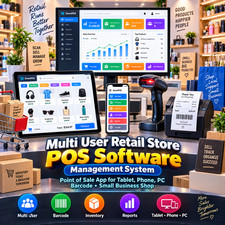 Multi User Retail Store POS Inventory Software for Tablet Phone PC Mac Barcode$52.49
 NRS Point of Sale System (POS) for Retail Stores with Card Machine ($99 Special)$99.99
 Cash Register Dual Tax Rate White 48 Key LCD Screen For Retail Store POS$165.63
 New Cash Register Dual Tax Rate White 48 Key LCD Screen For Retail Store POS$165.63
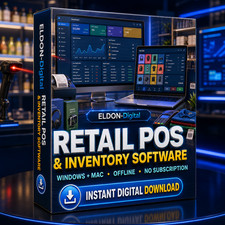 Retail Store POS Software Inventory Barcode Labels Reports Windows Mac Offline A$44.99
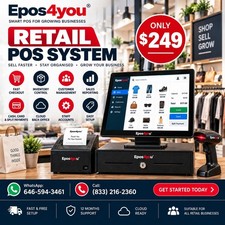 Retail Store POS System$249.00
 Retail Store POS T-Shirt Bag Holder Counter Rack (1) Holders$22.95
 www.userbars.org














