TRS Tools Prepared Physical USB Media 64GB Bootable PC Utility USB Diagnostics • Startup Assistance • File Access Support 64GB Prepared USB Media USB 3.2 Backward Compatible 30+ Years IT Field Experience
When a computer will not start correctly, loads into error screens, or becomes unstable, having an independent utility environment can help with basic inspection, file access, and troubleshooting steps.
This USB flash drive is configured to start outside of the installed operating system and provide access to diagnostic, maintenance, and file access resources commonly used in real-world PC support situations.
Designed For Situations Like: • Systems stuck during startup • Startup loops or boot errors • File access and inspection where supported • Maintenance when the installed operating system will not load Media Details: • 64GB USB flash drive • USB 3.2 interface, backward compatible • Boots on many modern x64 PCs • Compatibility varies by hardware and firmware settings
User-Controlled Utility Environment
The contents are arranged for ease of navigation once booted, allowing access to utility resources without relying on the installed operating system. No automatic actions are performed — the user remains in full control at all times. How This USB Is Prepared Each unit is assembled and tested by a U.S.-based IT professional with over 30 years of field experience. Included resources are organized and checked prior to preparation for consistency, ease of navigation, and practical first-time use.
Prepared Physical Media Only
This item is prepared physical USB media only — the drive, its preparation, and included usage notes. It does not include or grant rights to any operating system software. Please Note:
This is diagnostic and file-access utility media for systems you own or are authorized to service. It does not modify, unlock, or grant access to any operating system beyond what the user directs. Use only on systems you own or are authorized to service. Basic familiarity with BIOS/UEFI boot menus is recommended for use. Hardware condition and system configuration may affect results.
How to Boot Linux from USB 1. Shut down the computer completely. 2. Insert the TRS Tools USB into a USB port on the computer. 3. Turn the computer on and immediately tap the boot menu key. Common keys include F12, F11, F9, Esc, or Del depending on the computer brand. 4. Select the USB device from the boot menu. If available, choose the UEFI USB option. 5. Wait for the utility environment or boot menu to load. 6. Review the included usage notes before selecting any tools or options. 7. When finished, shut down from the menu if available, then remove the USB.
Included:
One prepared 64GB USB flash drive with on-drive usage notes.
No retail packaging or printed manuals are included. Frequently Asked Questions 1. What am I buying?
You are buying prepared physical USB media. The value is the USB flash drive, preparation, organization, basic testing, usage notes, and convenience. 2. Does this include an operating system?
No. This is physical utility media only — no operating system, license, or proprietary software is included or required. 3. Is this an official Microsoft product?
No. TRS Tools is an independent seller and is not affiliated with or endorsed by Microsoft or any software publisher. 4. What is this USB used for?
It is intended for diagnostics, startup assistance, maintenance, and file access support on PC systems you own or are authorized to service. 5. Will it fix every computer?
No. Results depend on the computer, firmware settings, storage drive condition, hardware condition, and user environment. 6. Does it work without internet?
Some resources may be offline-capable after setup where supported. Other functions may require internet access, updates, compatible hardware, or user-provided software rights. 7. What is this USB not intended for?
This is diagnostic and file-access utility media only, for systems you own or are authorized to service. It is not a security or account-recovery tool.
Ships from the United States.
Support available for general boot guidance and first-time use questions.
TRS Tools is an independent seller. Any brand names referenced for compatibility belong to their respective owners.
When you click on links to various merchants on this site and make a purchase, this can result in this site earning a commission. Affiliate programs and affiliations include, but are not limited to, the eBay Partner Network.

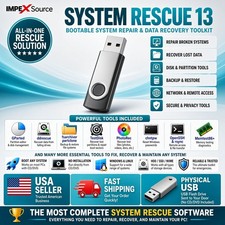 System Rescue Computer Maintenance Diagnostic Repair Data Recovery Bootable USB$17.97
 Diagnostic & Programming Laptop Hard Drive For BMW & Mini Cooper Repair & Coding$199.00
 PC Repair Diagnostic USB 64GB Bootable Technician Startup Utility Tool$24.99
 Nexiq USB Link 3 Wired Edition with Repair Information & Diagnostic Software$695.00
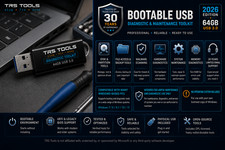 Computer Repair Bootable USB Utility Toolkit For PC Diagnostics & Maintenance$29.99
 PC Repair USB Save Hundreds Fix It Yourself Diagnostics$24.99
 PC Diagnostic USBDVD • Win11PE • PC Repair Tools • Multi‑Boot$24.99
 SanDisk Hiren's BootCD Recovery Diagnostic Repair Rescue 32GB USB3.0 Flash Drive$18.99
 www.userbars.org














