OSOYOO 4.3" IPS Capacitive Touch DSI Screen 🖥️
800x480 High-Res Display for Raspberry Pi 5, 4, 3, 2 Model B/A
Important: This screen\'s DSI interface is different from the Raspberry Pi Official 7\" DSI screen. Be sure to select the correct DSI cable variation matching your Raspberry Pi model (Pi 5 requires a different cable than Pi 4/3/2).Key FeaturesPlug & Play, No Driver Needed
Connects via DSI interface for signal and data, no GPIO pins used, so your GPIO stays free for other DIY projects. Works with Raspberry Pi OS, Ubuntu, RetroPie and more.
Sharp IPS Display
800x480 resolution with 24-bit color and a wide 170° viewing angle, great for multi-person viewing.
Capacitive Touch
Responsive finger touch capacitive touchscreen with fast response time (Raspberry Pi OS supports single-point touch).
Broad Compatibility
Supports Raspberry Pi 5, 4, 3, 3B+, 2 Model B/A with built-in adapter board and reserved mounting holes.
Choosing Your Option
This listing includes the 4.3" DSI touch LCD screen plus the correct DSI cable, screwdriver, and user guide for your selected Raspberry Pi model. Please confirm the correct variation matches your board: Raspberry Pi 5 uses a 15pin-1mm to 22pin-0.5mm FPC cable, while Raspberry Pi 4/3/2 uses a 15pin-to-15pin FFC cable. Selecting the wrong cable variation will prevent the screen from Size4.3 inchPanel TypeIPSResolution800 x 480 pixelsTouch PanelCapacitive, finger touchInterfaceDSIBrightness400 NitViewing Angle170°Refresh Rate60HzCompatible ModelsRaspberry Pi 5, 4, 3, 3B+, 2 Model B/APackage Contents1x LCD screen, 1x DSI cable (per variation), 1x screwdriver, 1x user guideProduct ImagesFAQDoes this need any drivers or software?
No, it\'s plug and play via the DSI interface, no drivers or GPIO setup required.
Will this work with my Raspberry Pi 5?
Yes, but you must select the Raspberry Pi 5 cable variation, which uses a different connector than the Pi 4/3/2 version.
Does it support multi-touch?
The screen supports capacitive multi-touch, though Raspberry Pi OS itself currently supports single-point touch.
Is external power needed for the touch function?
No additional power is needed for the touchscreen.
When you click on links to various merchants on this site and make a purchase, this can result in this site earning a commission. Affiliate programs and affiliations include, but are not limited to, the eBay Partner Network.

 OSOYOO 3.5" HDMI LCD Touch Screen for Raspberry Pi 5 4 3 2 with Stylus Pen$42.33
 OSOYOO 4.3" IPS Capacitive Touch Screen DSI LCD for Raspberry Pi 5 4 3 2$49.39
 OSOYOO 3.5" HDMI LCD Touch Screen for Raspberry Pi 5 4 3 2 with Stylus Pen$39.16
 OSOYOO 3.5" HDMI LCD Touch Screen for Raspberry Pi 5 4 3 2 with Stylus Pen$53.50
 OSOYOO 3.5" HDMI LCD Touch Screen for Raspberry Pi 5 4 3 2 with Stylus Pen$42.30
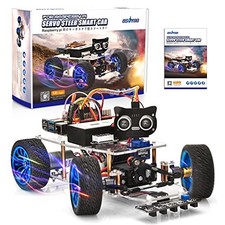 OSOYOO Raspberry Pi Robot Car Kit Servo Camera Python Programming STEM 4B/3B TI$172.65
 OSOYOO Mecanum Wheel Robot Car Kit for Raspberry Pi 3/4/5 STEM Remote Control...$121.49
 OSOYOO FlexiRover Robot Car Kit for Raspberry Pi – Compatible with Pi 2/3/4/5...$194.06
 www.userbars.org













