This listing is for a modified controller port for the Nintendo Gamecube. It works on both DOL 101 and DOL 001 models. There are many custom colors to choose from including: White, Soft White, Blue, Green, Red, Flashing several colors, Yellow. Please note the blue looks purple in these photos.
Specify in your order which color you would like.
The controller board you will receive also has a battery modification upgrade. You will no longer have to solder a new battery to the unit if you want to change it out. A battery holder has been soldered on which offers easy and quick change.
This listing is for the controller board only. No GameCube or cover plates are included. The ribbon that connects the controller ports to the motherboard is included. The photos with the GameCubes are for display purposes only so you can view what the color looks like.
Please note, you will need a game bit style screw driver to open your GameCube to complete this install. It is very basic and only has four screws located at the bottom of the console. Once the top shell lifts off, the controller ports are accessible. It is fastened with two screws to the front plate. Remove the two screws and disconnect the ribbon from the motherboard. Now, assemble the new controller port in reverse order. When placing the top shell back on the console, make sure the lid is open in order to avoid damaging the close door sensor. Once the shell is seated, you may close the console door and proceed to replace the four game bit screws at the bottom of the console.
If you do not get lights on the controller board, the most likely reason is that the ribbon cable is not properly secured in the motherboard port. It is located between the two memory card slot. Ensure that it is snugged down by pressing firmly.
If you have questions please reach out.
I ship immediately from the US.
When you click on links to various merchants on this site and make a purchase, this can result in this site earning a commission. Affiliate programs and affiliations include, but are not limited to, the eBay Partner Network.

 Nintendo GameCube LED Light Up Sign – Retro Gaming Room Decor USB Powered$39.99
 Nintendo GameCube LED Light Up Sign – Retro Gaming Room Decor USB Powered$39.99
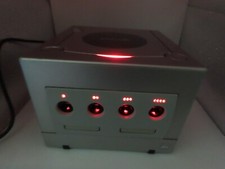 Nintendo GameCube RED LED Light Mod Modification Controller Port w/ new batt$49.95
 Nintendo GameCube LED light and battery holder installation kit$24.95
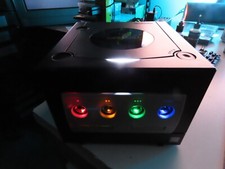 Nintendo GameCube LED Light Mod Modification Controller Port w/ new battery$49.95
 Nintendo GameCube RGB LED Light Mod Modification Kit - Fan, main LED and ports$89.95
 Nintendo Gamecube Console Pastel Pink LED NTSC-U/C DOL-001 GC PLAY US GAMES$143.99
 Nintendo Gamecube LED Controller Port Mod - Battery modification and LED MOD$34.95
 www.userbars.org














