Lexicon PCM-80 OS 1.10 EPROM Firmware Upgrade KIT
What’s Included:
- One brand new, ESD-safe EPROM chip programmed with Lexicon PCM-80 OS version 1.10—the final firmware revision officially issued by Lexicon.
- Printed installation instructions included for safe and easy upgrade.
- If requested, I will email you a download link to the official PCM-80 service manual for personal reference.
Please note: The Lexicon PCM-80 unit itself is not included—this listing is for the EPROM upgrade chip only.
Why Upgrade to OS 1.10?
- OS 1.10 is the final official firmware revision issued by Lexicon for the PCM-80.
- Improves overall operating system stability and performance over earlier ROM versions.
- Recommended for resolving intermittent MIDI or memory card issues reported with earlier firmware.
How to Check Your Current Firmware Version:
- Power on your PCM-80. During the startup self-test, the installed firmware version will briefly appear on screen.
- This upgrade is only necessary if your unit is running an earlier version than 1.10.
Important Notes on Battery and Memory Card:
- The internal lithium battery stores presets and system settings. If your unit doesn\'t retain data or boots with errors, the battery may be weak or leaking.
- Checking or replacing the battery during the firmware upgrade is strongly advised—this is a common point of failure in older PCM-80 units.
- If your unit exhibits unusual startup behavior, try removing and reinserting the PCMCIA card, as recommended in Lexicon’s service documentation.
Installation Guidance:
- Work only in a static-safe environment and use proper anti-static precautions.
- Align the notch on the EPROM chip with the notch on the socket before installing.
- If you are not confident about installation, do not power on your unit. Send me a clear photo for verification—I\'m happy to help you avoid any issues.
Made to Order – Quality Assured
Every EPROM chip is made to order using brand new, recently manufactured components. All are programmed, checksum-verified, and shipped in ESD-safe packaging—never used or refurbished.
Protect Your Investment with High-Quality Components:
- Only brand new, high-grade EPROMs are used. No relabeled, pulled, or mystery components here.
- Each chip is tested for correct operation and stored/handled in a static-safe production environment.
Purchase with Confidence!
Questions before or after you buy? Send me a message—I\'d be happy to help!
When you click on links to various merchants on this site and make a purchase, this can result in this site earning a commission. Affiliate programs and affiliations include, but are not limited to, the eBay Partner Network.

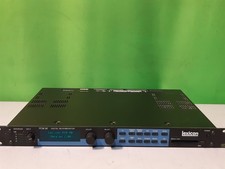
 Lexicon PCM 80 Digital Effects Processor$749.00
 Lexicon PCM 90 Digital Reverberator Professional Rackmount Reverb Processor$799.99
 Lexicon PCM 80 Scott Martin Gershin Post FX Algorithm Card$139.99
 Lexicon PCM-80 OS 1.10 EPROM Firmware Upgrade KIT / New ROM Update Chip PCM80$39.95
 Lexicon PCM-80 EPROM Upgrade chip Version 1.10 with Chip Puller Tool$36.00
 Lexicon PCM 80 Memory Card (Dual FX V1.0)$360.00
 Lexicon PCM 81 Digital Effects Processor$1,249.00
 Lexicon PCM96 Stereo Reverb/Effects Processor$3,708.00
 www.userbars.org














