- Store
- New Arrivals
- Add to Favorite
- View response
- Contact
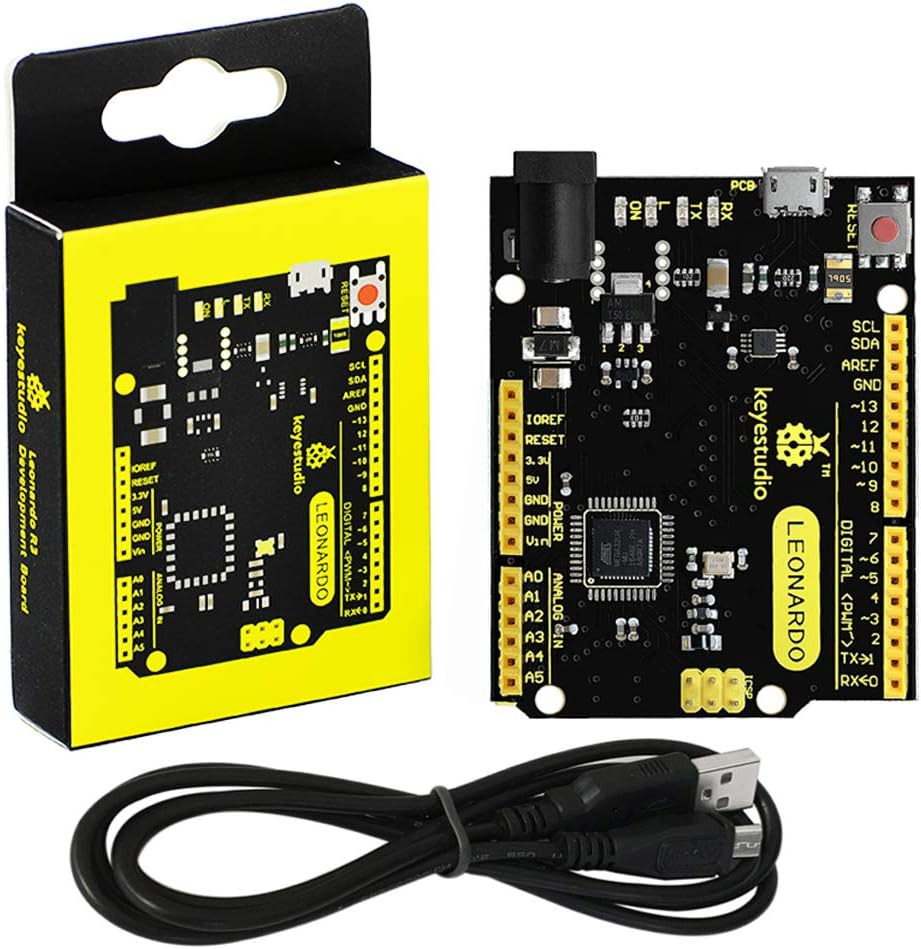
KEYESTUDIO Leonardo R3 Microcontroller Development Board with USB Cable Kit for Arduino ProjectDescription CPU Model 5X86 Item Dimensions L x W x H 2.7\"L x 2.09\"W x 0.17\"H Operating System Windows 10 Wireless Compability Bluetooth Memory Storage Capacity 32 KB Brand KEYESTUDIO Ram Memory Installed Size 5 MB Compatible Devices Computers (Windows, Mac OS X, Linux) Model Number KE-0011 Item Weight 2.08 ounces Connectivity Technology USB RAM Memory Installed 5 MB RAM Memory Technology SRAM Processor Count 1 Built-In Media NO Mfr Part Number ks0248 Processor Speed 16 MHz Model Name KEYESTUDIO Leonardo R3 Manufacturer keyes
- Please NOTE: Open the Arduino IDE, you’ll need to click the “Tools”, then select the Board that corresponds to your Arduino. If you don\'t choose the correct development board type, it will cause the compilation to fail to transfer. So this is a place that needs special attention.
- The keyestudio Leonardo is a microcontroller board based on the ATmega32u4,It has 20 digital input/output pins (of which 7 can be used as PWM outputs), 12 analog inputs, a 16 MHz crystal oscillator, a micro USB connection, a power jack, an ICSP header, and a reset button.
- The Leonardo differs from other boards using separate USB-Serial chip in that the ATmega32u4 has built-in USB communication, eliminating the need for a secondary processor.
- This allows the Leonardo to appear to a connected computer as a mouse and keyboard.
- Has fcc and ce certification that they are made from environmentally friendly production technology and materials, made function,voltage, current testing before packaging
Product description KEYESTUDIO Leonardo R3 Board
KEYESTUDIO Leonardo R3 is an ATmega32u4 microcontroller board.
The Leonardo differs from other Arduino boards using separate USB-Serial chip in that the ATmega32u4 has built-in USB communication, eliminating the need for a secondary processor.
Power Supply:
The board has 20 digital input/output pins (of which 7 can be used as PWM outputs), 12 analog inputs, a 16MHz crystal oscillator, a micro USB connection, a power jack, an ICSP header, and a reset button.
The keyestudio Leonardo can be powered via the micro USB connection, or via an external power supply jack (DC 7-12V) or even with female headers Vin /GND (DC 7-12V).
Memory Store:
The Atmega32u4 of KEYESTUDIO Leonardo R3 Board has 32KB of flash memory for storing code (of which 4 KB is used for the bootloader), 2.5KB of SRAM and 1KB of EEPROM (which can be read and written with the Eeprom library).
Board Model:
Neat little Leonardo r3 board works just like the original!
Another great Arduino alternative. It works fine and the quality is good. The yellow and black theme is unique.
Technical Specification:
- Microcontroller: Atmega32u4
- Operating Voltage:5V
- Input voltage (recommended): DC7-12v
- Digital I/O Pins: 20 (of which 7 provide PWM output)
- PWM Digital I/O Pins: 7
- Analog Input Pins: 12
- DC Current per I/O Pin: 40mA
- DC Current for 3.3V Pin: 50mA
- Flash Memory: 32KB (ATmega32u4) of which 4KB used by boot loader
- SRAM: 2.5 KB (ATmega32u4);
- EEPROM: 1 KB (ATmega32u4);
- Clock Speed: 16MHz
- LED_BUILTIN: D13
- Digital I/O pins: D0-D13 and A0-A5 (D18-D23); the ICSP pins can be used as digital pins.
- Analog Inputs: A0-A5, A6-A11, that is, D4 (A6)、D6 (A7)、D8 (A8)、D9 (A9)、D10 (A10) and D12 (A11)
- PWM pins: D3, D5, D6, D9, D10, D11 and D13.
- External Interrupts: D3(interrupt0);D2(interrupt1); D0 (interrupt2), D1(interrupt3), D7(interrupt4).
- Serial communication: D0 (RX) and D1 (TX)
Regarding how to use:
Select the Arduino Board
Open the Arduino IDE, you’ll need to click the “Tools”, then select the Board that corresponds to your Arduino.
If you don\'t choose the correct development board type, it will cause the compilation to fail to transfer.
So this is a place that needs special attention.
When you click on links to various merchants on this site and make a purchase, this can result in this site earning a commission. Affiliate programs and affiliations include, but are not limited to, the eBay Partner Network.

 KEYESTUDIO Leonardo R3 Microcontroller Development Board with USB Cable Kit$24.99
 KEYESTUDIO Leonardo R3 Microcontroller Development Board with USB Cable Kit for$22.05
 KEYESTUDIO Leonardo R3 Microcontroller Development Board with USB r3$29.99
 Leonardo R3 Microcontroller Development Board with USB Cable Kit for Arduino Pro$24.18
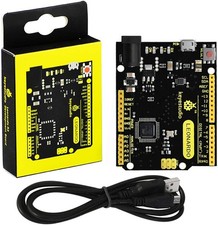 KEYESTUDIO Leonardo R3 Microcontroller Development Board with USB Cable Kit for$21.68
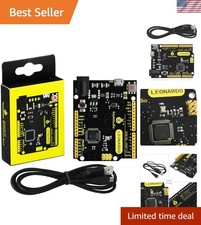 KEYESTUDIO Leonardo R3 Microcontroller Development Board with USB Cable Kit$22.45
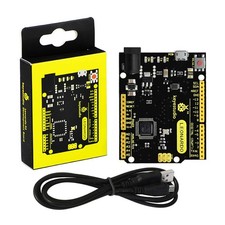 KEYESTUDIO Leonardo R3 Microcontroller Development Board with USB Cable Black$20.41
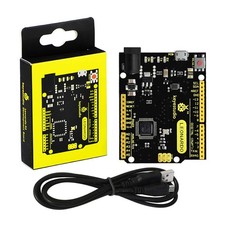 KEYESTUDIO Leonardo R3 Microcontroller Development Board with USB Cable Black$20.41
 www.userbars.org