pecifications:
Name: COB LED Strip Lights
Output Voltage: DC24V
Light Color: Warm White/ White/ Natrual White
Color temperature: Warm White(3000K), Natural White(4000K), Cool White(6500K)
LED type: COB
LED QTY: 320LEDs/M
Length: 1M/ 3M/ 5M/ 10M
Switch Type: Portable Wireless PIR Motion Sensor Switch (Build-in 450mA Battery, Can be installed anywhere).
PIR Motion Sensor Detection Range:1-3M
Wireless RF Distance:<=10M (Distance from Motion Sensor Switch to RF Reciever)
Input Voltage: AC100V-240V
Power Adapter: EU220 Plug / US110 Plug
Packages:
1x COB LED Strip Light
1x Power Supply
1x RF Receiver.
2x Portable PIR Motion Sensor Switches(Build-in Battery)
Using & Features:
1. When the \"receiving host\" is powered on,within 8 seconds, press and hold the code matching key on the back of the \"wireless sensor switch\" until the output LED light strip flashes once, and the pairing is completed.
2. When the \"receiving host\" is powered on,after 8 seconds, first press the code matching key on the \"receiving host\", then press and hold the code matching key on the back of the \"wireless sensor switch\" until the output LED light strip flashes once, and the pairing is completed.
3. Repeat the above steps when connecting the second \"wireless sensor switch\"
The Under Cabinet LED Strip Lights are an excellent addition to your home or office lighting setup. These versatile lights can be installed easily using the included 3M sticker, making them perfect for use in your kitchen, pantry, bedroom, wardrobe, or closet. With Portable PIR motion sensor, you can control the lights without ever having to touch them, And it more flexible to stick anywhere you like,simple and easy to instation.
Using:
1. Connect the 24V power supply to the receiving host and led strip
2. When the \"receiving host\" is powered on, within 8 seconds, press and hold the code matching key on the back of the \"wireless sensor switch\" until the output LED light strip flashes once, and the pairing is completed.
3. If the \"receiving host\" is powered on, after 8 seconds, first press the code matching key on the \"receiving host\", then press and hold the pair code key on the back of the \"wireless sensor switch\" until the LED light strip flashes once, and the pairing is completed.
4. Repeat the above steps when connect the second or more wireless sensor switches
When you click on links to various merchants on this site and make a purchase, this can result in this site earning a commission. Affiliate programs and affiliations include, but are not limited to, the eBay Partner Network.

 Dual PIR Motion Sensor LED Strip Light 24V 320LED/M Wireless Cabinet Stair Light$39.99
 Wired PIR Motion Sensor 12V DC Pet Immune Dual Detector NC NO Output White$23.99
 RL-STEP-05 16 Steps Dual PIR Motion Sensor Stair LED Lighting Controller for LED$76.00
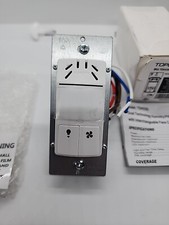 New TOPGREENER Dual Tech Humidity Sensor Switch Infrared PIR Motion Air Moisture$28.49
 Outdoor Waterproof Wired Motion Detector Dual PIR Sensor Pet Immunity Security$44.79
 DSC BV-600 Bravo6 Dual PIR Motion Detector Pet Immune HDD Technology$29.99
 Paradox PMD85 - Outdoor Digital Dual-Optic Magellan Wireless PIR Motion 433MHz$78.00
 DSC BV-600 Bravo6 Dual PIR Motion Detector Pet Immune HDD Technology$36.00
 www.userbars.org












