|
>> If you dont know how to design a userbar, then write here a Userbar that you want.
>> If you know how to design them help these people and design what they request.
|
 |
|
USERBARS.org | Free Forum Userbars
| On eBay now |

Autodesk Inventor Cam 2021: Milling Fundamentals (Mixed Units): Autodesk Au...
$72.14

Please refer to the section BELOW (and NOT ABOVE) this line for the product details - - - - - - - - - - - - - - - - - - - - - - - - - - - - - - - - - - - - - - - - - - - - - - - - - - - - - - - - - - - - - - - - - Title:Autodesk Inventor Cam 2021: Milling Fundamentals (Mixed Units): Autodesk Authorized - Center for Technical Knowledge (Author)Description:The Autodesk(R) Inventor(R) Cam 2021: Milling Fundamentals Guide Focuses On Instructing New Users On How To Use The Inventor Cam Add-On To Create Milling Toolpaths The Guide Begins With An Introduction To The Overall Inventor Interface And Explains How To Manipulate Your 3D Model To Change Its Orientation And View Display Through Additional Hands-On, Practice-Intensive Curriculum, You Will Learn The Key Skills And Knowledge Required To Take The 3D Model, Set It Up In The Cam Environment, And Assign The 2D And 3D Milling Toolpaths Needed To Generate The Cnc Code Required By Milling Machines Topics Coverednavigate The Inventor Software Interface To Locate And Execute Commands Use The Model Orientation Commands To Pan, Zoom, Rotate, And Look At A Model Assign Visual Styles To Your Models Locate, Modify, And Create Tools In The Tool Library Set Up Machining Operations Using Inventor Cam Create 2D Milling, 3D Milling And Drilling Toolpaths Using The Inventor Cam Interface Use The Simulation Option To Visualize Toolpaths Import A Tool Library Create A Toolpath Template Post Process An Inventor Cam Setup To Output The Cnc Code Required To Machine A Model Prerequisitesaccess To The 2021 1 Version Of The Software, To Ensure Compatibility With This Guide Future Software Updates That Are Released By Autodesk May Include Changes That Are Not Reflected In This Guide The Practices And Files Included With This Guide Are Not Compatible With Prior Versions (E G , 2020) As An Introductory Guide, Autodesk(R) Inventor(R) Cam 2021: Milling Fundamentals Does Not Assume Prior Knowledge Of Autodesk Inventor Cam However, This Guide Will Not Provide Instructional Content On How To Create 3D Models Using The Inventor Modeling Tools Its Focus Is Solely On Generating 2D And 3D Milling And Drilling Toolpaths Once Models Are Created The Autodesk(R) Inventor(R) 2021: Introduction To Solid Modeling Guide Should Be Used To Learn To Create 3D Models Binding:Paperback, PaperbackPublisher:Ascent, Center for Technical KnowledgePublication Date:2020-11-06Weight:1.2 lbsDimensions:0.66\'\' H x 9.25\'\' L x 7.5\'\' WNumber of Pages:316Language:English
When you click on links to various merchants on this site and make a purchase, this can result in this site earning a commission. Affiliate programs and affiliations include, but are not limited to, the eBay Partner Network.
|
|
|
|
|
|

 Autodesk Inventor CAM 2023 Milling Fundamentals (Mixed Units): Autodesk Authoriz$79.97
 Parametric Modeling with Autodesk Inventor 2023$42.20
 Autodesk Inventor 2013 and Autodesk Inventor LT 2013 (2012, Trade Paperback)$13.00
 Autodesk Inventor Essentials P - GOOD$5.43
 Autodesk Inventor Cam 2021: Milling Fundamentals (Mixed Units): Autodesk Au...$72.14
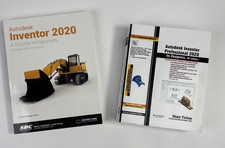 Autodesk Inventor 2020 A Tutorial, & Inventor Professional 2020 Hansen, L. Scot$14.99
 Autodesk Inventor 2020 and Engineering Graphics$8.06
 Autodesk Inventor 10 Essentials Plus$15.95












