< class=\"bucketDivider\" noshade=\"noshade\" size=\"1\" />Product descriptionSet smart scene,improve nighttime comfort
Set up smart scenes for a better night\'s sleep: When the Temperature and Humidity Lite sensor detects that the air humidity drops below 45% at night, it automatically turns on the humidifier to improve sleep quality.
Maintain Room Comfort
When the indoor temperature exceeds the set comfort range,ThirdReality APP will immediately send a notification to your phone and automatically turn on the air conditioning to keep the indoor temperature comfortable, ensuring quality of life.
Home Automation
Seamlessly integrate Home Assistant-Add Zigbee Device,SmartThings and more. You can easily create home automation scenes with the THIRDREALITY App. Choose to add THIRDREALITY actuator products and embark on a comprehensive smart living experience, enabling even more life-like scenarios!
Setup
The Temperature and Humidity Sensor Lite boasts a minimalist design with dimensions of 2.21 x 0.5 x 2.21 inches. It comes equipped with a 3M-rated adhesive backing, allowing for versatile placement options such as on walls, tables, doors, and more.
Note: APP can only display temperature but no humidity.
How to factory reset the &H sensor lite?
Long press the reset button for 5 seconds until the LED light turns solid red, release the button and the LED light turns fast blue blinking, indicating it enters Zigbee pairing mode.
What is the battery life of the T&H sensor lite?
Two years battery life under normal usage conditions.
Why does my T&H sensor lite sometimes become unresponsive or even go offline?
Placesensor near the smart hub/bridge/smart speaker during pairing or software OTA update. Place the sensor within 12 meters from the Zigbee hub. Use Zigbee plug as repeater to extend the Zigbee signal range.
How to add the T&H sensor/T&H sensor lite to Home?
Paired the sensor to smart bridge MZ1, then add the Third Reality Smart Bridge MZ1 to your Home according to the bridge\'s instructions. Your and speaker should be on the same 2.4GHz Wi-Fi network.
How to add the edge driver in SmartThings?
Pls scan the QR code in the quick start guide and download the user manual, then follow the instruction to install SmartThing driver.
When you click on links to various merchants on this site and make a purchase, this can result in this site earning a commission. Affiliate programs and affiliations include, but are not limited to, the eBay Partner Network.

 TUYA WiFi/Zigbee Temperature Humidity Sensor Thermometer Hygrometer Smart Home$9.99
 SONOFF SNZB-02P Smart Zigbee Temperature Humidity Sensor Remote Monitoring Alert$11.99
 4PCS SONOFF SNZB-02B Zigbee Smart Temperature Humidity Sensor,Remote APP Control$35.90
 SONOFF SNZB-02D Zigbee LCD Smart Temperature Humidity Sensor APP Remote Control$29.99
 SONOFF Zigbee Temperature Humidity Sensor Smart Automation Dew Point VPD Monitor$9.99
 SONOFF Zigbee3.0 Temperature Humidity Air Pressure Sensor Thermometer Hygrometer$19.90
 Zigbee 3.0 Temperature Humidity Sensor APP Remote Control Thermometer via Tuya $9.99
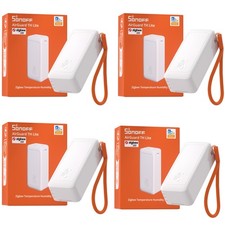 4 Pack SONOFF Zigbee Temperature Humidity Sensor, Remote Thermometer Hygrometer$35.90
 www.userbars.org














