⚡ VIRTUAL MACHINE STUDIO USB — CREATE & RUN VIRTUAL MACHINES ON WINDOWS AND MAC. NO SUBSCRIPTIONS. NO LICENSE KEYS. INSTALLS OFFLINE.
Plug the drive into your computer, run the installer, and start building virtual machines — complete computers that run in windows on your desktop. Virtual Machine Studio includes the official, unmodified Oracle® VirtualBox 7.2 base package (free open-source software, GPLv3), plus UTM 5.0.8 for Apple Silicon Macs, a Quick Start Guide, the official user manual and the complete source code. Oracle and VirtualBox are registered trademarks of Oracle and/or its affiliates. Not affiliated with or endorsed by Oracle.
🖥️ FULL VIRTUALIZATION TOOLKIT
- Create virtual machines with the new-VM wizard: unattended guest install, CPU/RAM/disk settings
- Run many guest systems on Intel/AMD computers: Windows, Linux, FreeBSD, Solaris, DOS; on Apple Silicon Macs run Arm guests (Windows 11 Arm, Linux Arm)
- Snapshots: take, restore and delete named snapshots with descriptions — roll a machine back in seconds
- Clone VMs (full and linked), clone from a snapshot
- Guest Additions for seamless mode, auto-resize display, shared folders, shared clipboard and drag-and-drop (ISO inside each installer)
- Import and export appliances (OVF/OVA); Virtual Media Manager for VDI/VMDK/VHD disks (create, resize, copy)
- Networking: NAT, NAT Network, Bridged, Host-only and Internal
- USB device passthrough (USB 1.1/2.0/3.0 controllers), shared folders and host optical-drive passthrough
- Hardware virtualization: VT-x/AMD-V, nested paging, nested virtualization, paravirtualization
- VM groups, video recording of a VM screen, pause/reset/save state, command-line control (VBoxManage, headless start)
🍎 APPLE SILICON MACS GET UTM TOO
- UTM 5.0.8 included for Apple Silicon Macs: fast Arm virtual machines, plus x86 Windows/Linux through emulation (slower)
- Complete UTM source set on the drive; not affiliated with the UTM project
📦 WHAT\'S INCLUDED
- USB flash drive, exFAT formatted, everything preloaded
- Official VirtualBox 7.2.22 installer for Windows 10/11 (64-bit) and macOS installers for Intel and Apple Silicon Macs
- UTM 5.0.8 for Apple Silicon Macs
- Microsoft\'s official Visual C++ runtime installer and a helper that installs it silently only if missing, then starts the VirtualBox setup
- Quick Start Guide (original) plus the official VirtualBox 7.2 User Manual (PDF)
- Setup checklist: enable VT-x/AMD-V in BIOS/UEFI, Hyper-V and Memory Integrity conflicts, macOS permission prompts
- Where to get operating systems: official download links (no operating systems are included — customers supply any Windows licence themselves)
- Complete source code of VirtualBox and UTM, plus license texts
⚠️ HARDWARE LIMITATIONS — PLEASE READ BEFORE BUYING
- Windows: 10/11 64-bit only. Not for Windows 7, 8 or 8.1; no 32-bit build. Windows 11 on Arm: same installer works but Oracle calls it experimental
- Mac: macOS 13 Ventura or newer for both Intel and Apple Silicon. Older macOS (10.13-12) is not supported. Intel Macs have no 3D acceleration in VirtualBox 7.2
- Apple Silicon Macs: VirtualBox runs Arm guests only (no unattended install) — normal x86 Windows/Linux run through the included UTM emulator, which is noticeably slower
- Your PC must have VT-x/AMD-V virtualization enabled in the firmware — most do, some older/cheaper PCs don\'t
- 8 GB RAM recommended (4 GB minimum) and 20+ GB of free disk space per virtual machine; admin rights required to install
- Operating systems are NOT included. Windows guests need your own licence. No Oracle Extension Pack features (remote display server, cloud VMs, disk encryption, webcam passthrough, PXE boot) — those are Oracle\'s separately licensed add-on and are never shipped
- Windows guests need the Microsoft Visual C++ 2019 runtime — the official installer is on the drive and installs automatically if missing
✅ FREE OPEN-SOURCE SOFTWARE
- No license key needed — install on any number of your own computers
- Includes the official, unmodified Oracle® VirtualBox 7.2 base package (free open-source software, GPLv3). The price covers the USB drive, guide and convenience.
⚠️ Please note: the first launch may show a normal free-software prompt — Windows may show a blue \"Windows protected your PC\" screen (click \"More info\", then \"Run anyway\"); on Mac, control-click the app and choose Open the first time. Instructions are in the quick-start guide on the drive.
When you click on links to various merchants on this site and make a purchase, this can result in this site earning a commission. Affiliate programs and affiliations include, but are not limited to, the eBay Partner Network.

 💎 1x ROBLOX Toy Code Series 1-12 💎 | Digital Virtual Item | Sent Instantly ⚡️$4.99
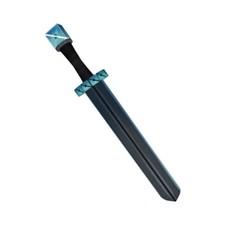 ROBLOX Developer Longsword Code RARE | Virtual$799.99
 Sega Saturn Game Virtual Hydlide CIB Complete In Box $79.99
 ROBLOX White Sword Cane Toy Code | Roblox Virtual Code |$49.99
 ROB RUN CASH🔥NA US Server CASH🔥Ingame Money✴️Cheap & Safe & Fast✴️Virtual Item$62.99
 Webkinz MYSTERY PET Virtual Adoption CODE ONLY Messaged Webkinz Mystery Pet Code$7.99
 WOW Forever 2-50 Gold✨World of Warcraft Forever US EU Server✨Fast Virtual Item$62.99
 DecoDeco BbangKoongz Mix-up Handheld Virtual Game Korean Bread Bakery Toy 빵쿵즈$50.40
 www.userbars.org














