
ViceDash-Pro Full-Width Sim Racing Dash System
$95.00

Upgrade your sim racing cockpit with this custom full-width dash system. Designed to provide a clean, professional mounting solution for your favorite button boxes, and stream controllers. Mounts directly to Moza wheelbases, or any wheelbase using standard M6 mounting bolts and an 80mm × 80mm front mounting pattern.
Choose from two premium finish options:
Message Shop With Choice...Plain Black Textured
Carbon Fiber Pattern
Choose any two device dashes below:
Elgato MK2 Stream Deck
Ulanzi D200H Hub Deck
5-in-1 Ignition Switch (commonly sold by AliExpress, Temu, and Amazon)Specifications:
Overall Dimensions: 640mm × 115mm × 15mm
Compatible with any wheelbase using an 80mm × 80mm front mounting pattern
Durable 3D-printed construction
Available in plain black textured or carbon fiber pattern finish
What\'s Included:
1 × full-width sim racing dash system with two device dashes
Not Included:
Mounting hardware (M6 × 13mm–15mm bolts required)
Elgato MK2 Stream Deck
Ulanzi D200H Hub Deck
5-in-1 Ignition Switch
Fifine AmpliGame
This listing is for the dash system only. Electronics, accessories, and mounting hardware shown in the photos are for demonstration purposes and are not included.
Perfect for sim racing enthusiasts building a GT, Formula, rally, or drifting cockpit. This wheelbase dash keeps your controls organized and within easy reach while maximizing available space around your steering wheel.
Whether you\'re mounting a Stream Deck for race management, a button box for quick-access controls, or an ignition panel for added immersion, this dash provides a sturdy, race-inspired solution.
The plain black textured finish delivers a clean OEM-style appearance, while the carbon fiber pattern finish adds a premium motorsport look to your simulator. Both finishes are designed to complement modern sim racing rigs and wheelbases.
Installation Instructions for MK2, D200H, and AmpliGame:
1) Slide/slip devices into slot on dash/mount (it will fit snug).
2) Install the dash/mount to the wheelbase.Installation Instructions for 5-in-1 Switch:
1) Remove the four screws on the face plate of the button box.
2) Slide/slip the button box through the cutout of the dash but maintain the button box face plate on the front side of the dash/mount.
3) Position the button box into the slit cutout in the rear of the dash/mount.
4) Reattach the face plate to the button box with the four replacement screws provided. This will attach the face plate to the button box and secure the button box to the dash/mount.
5) Install the dash/mount to the wheelbase.*If installing 5-in-1 switch to the left of the wheelbase, due to the clearance of USBC connection to the side of the wheelbase, a modification to the button box housing will be necessary. Relocate the USBC connection by drilling a new hole on the back side of the button box housing. See picture.
When you click on links to various merchants on this site and make a purchase, this can result in this site earning a commission. Affiliate programs and affiliations include, but are not limited to, the eBay Partner Network.

 Retro Game Console 4K HDMI Output Plug and Play 20000+ Game Gamepad Controllers$26.95
 2026 Air R36S Retro Handheld Game Console 64GB/128GB 3.5" IPS 20,000+ Games$59.99
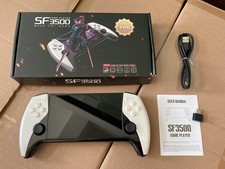 SF3500 Retro Handheld Game Console 5" IPS 21,597 Games 64GB$40.99
 Miyoo Mini Plus + Portable Handheld Retro Game Console - US Seller$59.00
 RP2040 Game Console Cable Chip Replacement$13.99
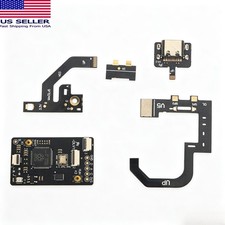 RP2040 Game Console Cable Chip Replacement$13.89
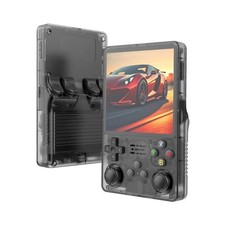 R36S Retro Handheld 15000+ Video Game Console$26.25
 128GB, R36S Retro Handheld Game Console Video Games Consoles 40000+Games, USA$41.99
 www.userbars.org












