|
>> If you dont know how to design a userbar, then write here a Userbar that you want.
>> If you know how to design them help these people and design what they request.
|
 |
|
USERBARS.org | Free Forum Userbars
| On eBay now |

Variable Motor Speed Controller PWM DC 5V 12V 24V 150W PWM Signal Driver Module
$14.50

Brand New Premium QualityDC Motor Speed Controller Features: - Support ON/OFF output
- Soft start function
- Support set duty cycle
- Support set frequency
- Adjustable digital encoder
- Instrument case
- Support reverse connection protection
- Support parameter memory function
Parameter Set Mode: - Short press potentiometer: Select the parameter you want to set including Lower Limit Value of duty cycle, Upper Limit Value and Output Frequency, which could be switched by yourself.
*The lower limit of the duty cycle is displayed as \"L\" + two digits; The upper limit of the duty cycle is displayed as \"H\" + two digits or \"100\"; And the operating frequency is displayed as \"F\" + two digits. - Long press potentiometer: Save parameter and quit setting mode to normal display mode.
- Rotate potentiometer clockwise: Increase the setting value.
- Rotate potentiometer counterclockwise:Decrease the setting value.
- STOP pads inside:It is used to connect to an external switch button to turn ON/OFF output if user need control output by another button or module is a PMW driver, which controls the controlled device by changing the frequency and duty cycle of the output signal. It is not a voltage converter, it has no function to change the output voltage.
Potentiometer Introduction:1. Long press means need keep press for more than 3second.2. Default display duty cycle.3. Normal display mode:3.1 Short press potentiometer:Turn ON/OFF output signal.3.2 Long press potentiometer:Enter parameter set mode.3.3 Rotate potentiometer clockwise:Increase duty cycle value.3.4 Rotate potentiometer counterclockwise:Decrease duty cycle value. Use Steps:1. Connect right work voltage(Note:don’t connect load before set parameters)2. Short press potentiometer to turn OFF output3. Long press potentiometer enter into parameter set mode4. Short press potentiometer to select set parameters5. Rotate potentiometer to set parameter value6. Set another two parameters as step3 and step47. Long press potentiometer to save parameters and quit set mode to normal display mode8. Connect load as wiring diagram9. Short press potentiometer to turn ON output Please refer all listing pictures, instrcution and operation process to make sure your application for this Seller: - We are U.S. supplier and ship all orders directly from local office in Houston Area, Texas
Shipping: - Order will be processed within 1-2 business day once payment complete successfully. (Monday - Friday,excluding holiday and weekend).
- Please correct the shipping address to avoid package returned, delay and lost.
- Local pickup available.
Term of Sale: - Please read the item description and check the pictures carefully before purchasing.
- Please contact us before any return, exchange or refund is required. Any direct return of purchased items will not be processed.
- Returns are acceptable if buyer purchased this by mistake and item still in brand new condition for reselling with 30 days after delivery.
- It is the buyer\'s responsibility for any return shipping cost.
- Restocking fee may apply.
When you click on links to various merchants on this site and make a purchase, this can result in this site earning a commission. Affiliate programs and affiliations include, but are not limited to, the eBay Partner Network.
|
|
|
|
|
|

 For Router Fan Variable Speed Controller Electric Motor Rheostat AC 120V Newest$11.00
 Variable Frequency Drive VFD Motor Speed Control Inverter 3 Phase 7.5 KW$135.00
 AC Motor Speed Controller 120V 15A Max - Variable-Speed Controller & Fan Spee...$28.88
 VEVOR Variable Frequency Drive VFD Motor Speed Controller AT1-4000x$75.00
 40A PWM DC Motor Speed Controller 12V 24V 36V 48V Variable Speed Switch Reverse$15.21
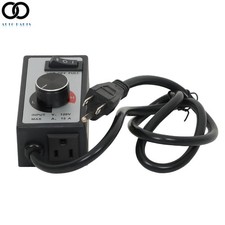 For Router Fan Variable Speed Controller Electric Motor Rheostat AC 120V New$11.00
 PWM DC Motor Speed Controller 12V 24V 36V 48V Variable Speed Switch Reverse$14.99
 Electric Motor Variable Speed Controller - 120V~220V 15A 4000W AC Motor Speed US$26.59












