|
>> If you dont know how to design a userbar, then write here a Userbar that you want.
>> If you know how to design them help these people and design what they request.
|
 |
|
USERBARS.org | Free Forum Userbars
| On eBay now |

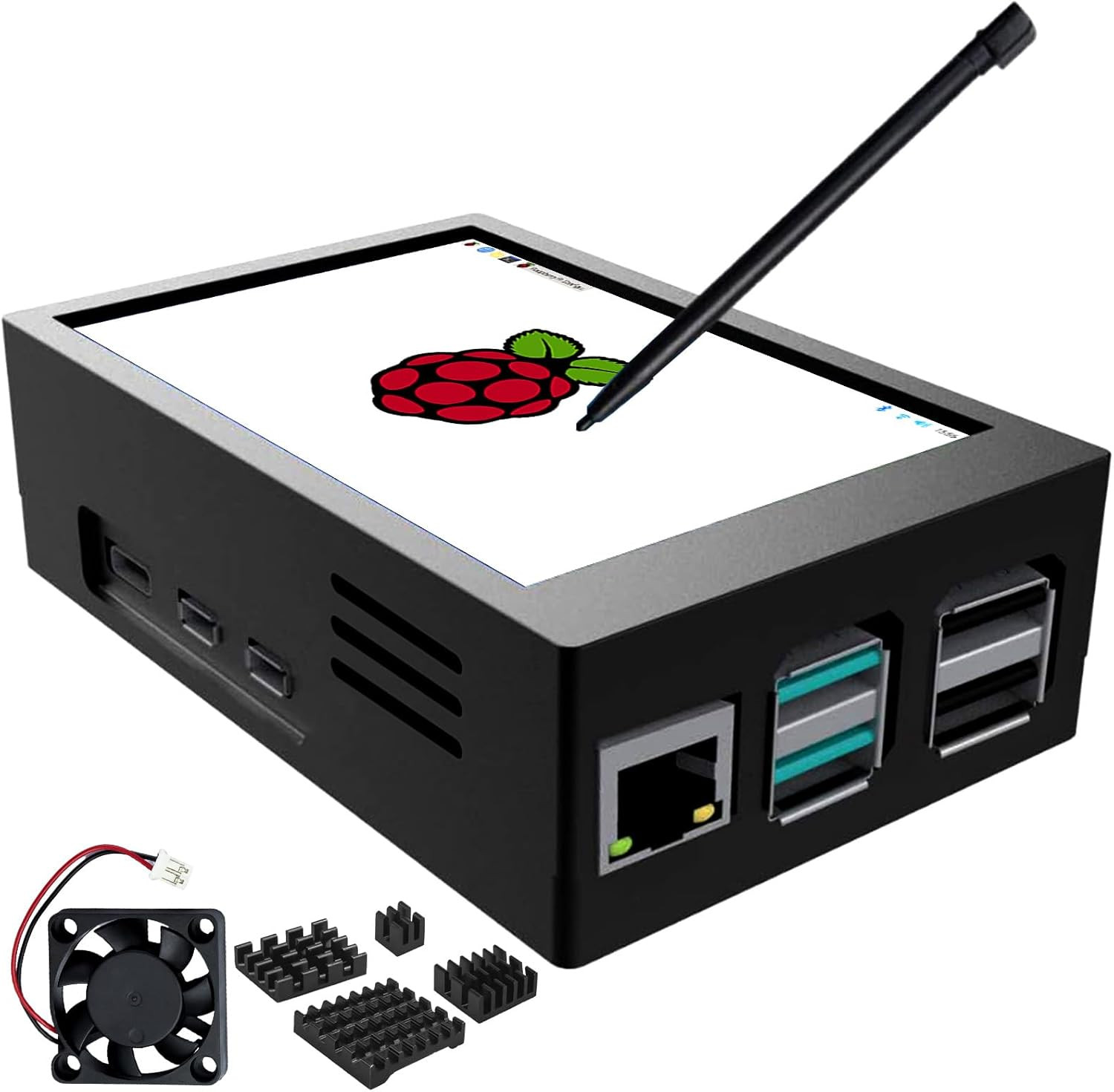
Raspberry Pi Display, 3.5 Inch Touchscreen with Raspberry Pi 5 Case, 480X320 TFT
$30.01

- Store
- New Arrivals
- Add to Favorite
- View response
- Contact
Raspberry Pi Display, 3.5 Inch Touchscreen with Raspberry Pi 5 Case, 480X320 TFT LCD 60 FPS Monitor with Mini Fan and Heatsink for Raspberry PiDescription - The 3.5-inch touchscreen comes with a special case for the Raspberry Pi 5 that can accommodate both the touchscreen and the Raspberry Pi 5, creating a perfect combination of touchscreen and Raspberry Pi 5.
- 480 x 320 resolution, 60 FPS refresh rate for Raspberry Pi, supports 125 MHz SPI signal input, stable display without flickering. (Note: The 3.5” touch screen is available for Raspberry Pi 4 and Raspberry Pi 5, but the case is only available for Raspberry Pi 5).
- Come with mini fan and heat sink, make sure your Raspberry Pi 5 works stably to achieve the best heat dissipation, you don\'t need to worry about heat dissipation.
- Compatible with Raspbain, Ubuntu, Kali and RetroPie systems, free driver installation and tutorials are provided, please refer to the electronic manual for details. Raspberry Pi 5 currently only provides Raspbian system, if you want to install other system, please contact us.
- The scope of delivery includes: 3.5-inch touch screen, case for Raspberry Pi 5, pen, screwdriver, heatsink, rubber feet, screws, metal braces and mini fan.
Product description 1 Learn 2 Work 3 DIY - How to install Raspbian on a 3.5” screen (for Raspberry Pi 3/4/5)?
- If you are working with a Pi 3 or Pi 4, you can install Raspbian, Ubuntu, Kali and Retropie systems.
- If you are working with a Pi 5, only Raspbian systems are currently supported.
- We will continue to update.
The video showcases the product in use.The video guides you through product setup.The video compares multiple products.The video shows the product being unpacked. - Step 1: Installing the Raspberry Pi image file
The video showcases the product in use.The video guides you through product setup.The video compares multiple products.The video shows the product being unpacked. - Step 2: Connecting to a computer screen
The video showcases the product in use.The video guides you through product setup.The video compares multiple products.The video shows the product being unpacked. - Step 3: Entering the driver code
The video showcases the product in use.The video guides you through product setup.The video compares multiple products.The video shows the product being unpacked. - Step 4: Connecting a 3.5” touchscreen
The video showcases the product in use.The video guides you through product setup.The video compares multiple products.The video shows the product being unpacked. 3.5 Inch Touchscreen for Raspberry Pi Screen Size 3.5 inch Screen Size 3.5 inch Screen Size 3.5 inch Case Raspberry Pi 5 Case Raspberry Pi 4 Case No Heat Sink 4 pcs Heat Sink 3 pcs Heat Sink No Item model number -XXXX Screen Resolution 480 x 320 Color Balck Processor Brand ARM Operating System Raspbian Number of Processors 1 Model Name -XXXX Screen Size 3.5 Inches Graphics Coprocessor Integrated Graphics Included Components Touchscreen Max Screen Resolution 480x320 Pixels Item Weight 5.3 ounces Graphics Card Description Integrated Standing screen display size 3.5 Inches Special Feature Touchscreen Computer Memory Type DDR4 SDRAM Color Balck Series -XXXX Package Dimensions 6.02 x 4.17 x 1.34 inches CPU Manufacturer ARM Card Description Integrated Size 3.5 inch
When you click on links to various merchants on this site and make a purchase, this can result in this site earning a commission. Affiliate programs and affiliations include, but are not limited to, the eBay Partner Network.
|
|
|
|
|
|

 Raspberry Pi 3 Model B+ (3B+) 1GB RAM WiFi HDMI ETHERNET CASE - Tested Working$25.00
 Raspberry Pi Touch Display 2 7" – 720x1280 Capacitive Multi-Touch SC1635$53.99
 3.5 Inch 480X320 Touch Screen TFT LCD SPI Display Panel for Raspberry$25.50
 Official Raspberry Pi 7" Touchscreen 800x480 DSI + SmartiPi Touch 2 Case Kit$49.99
 Raspberry Pi 3 B+ Touch Screen Kit: 3.5'' TFT Display, Case & Cooling Solution$40.49
 "3.5 Inch Touch Screen for Raspberry Pi 3 B+ | TFT LCD Monitor Display"$28.59
 Raspberry Pi Touch Display 2 7" – 720x1280 Capacitive Multi-Touch SC1635$50.95
 3.5 Inch 480x320 Touch Screen TFT LCD SPI Display Panel Raspberry Pi 5 Pi4B 3B+$24.75