|
>> If you dont know how to design a userbar, then write here a Userbar that you want.
>> If you know how to design them help these people and design what they request.
|
 |
|
USERBARS.org | Free Forum Userbars
| On eBay now |

OEM JVC RM-SRX5060J RMSRX5060J MBR AV Receiver Remote Control Tested Works
$63.20

At Remote Yard on , internal contact switches, buttons, and the infrared transmitter diode have been electronically tested and confirmed working so you can buy with complete confidence. Key Functions & How to Use It: Unified Multi-Brand (MBR) TV, Cable & VCR Controls: Includes dedicated TV Volume (+/-), TV/CATV Channel (+/-), VCR Channel (+/-), and TV/Video input buttons so you can operate your television, cable box, and VCR alongside your JVC receiver from a single handset. Master Receiver Volume, Muting & Display Dimmer: Features a large vertical Master Volume (+/-) rocker bar, one-touch Muting, and a dedicated Dimmer key to adjust the brightness of your receiver\'s front display panel. Full Dolby Digital / DTS Surround & Speaker Calibration: Unlocks JVC\'s surround processing modes, speaker test tone, center/subwoofer/rear channel level adjustments, and bass boost directly from your listening chair. Direct Input Source & AM/FM Tuner Preset Switching: Gives you fingertip access to DVD, VCR, DBS/CATV, TV Sound, FM/AM Tuner, and analog audio inputs alongside a 0–9 numeric keypad for saved radio presets.
Helpful Tips & Things You Might Not Know: Native JVC 38 kHz Infrared Protocol & MBR Code Setup: This remote transmits JVC\'s 38 kHz receiver infrared protocol out of the box—if you also wish to program the TV Volume and TV/CATV Channel keys to operate a non-JVC television or cable box, press and hold the Audio/TV power shift sequence with your 3-digit JVC MBR manufacturer code. Direct Line-of-Sight & Fresh AA Batteries: For instantaneous response, always point the front IR emitter directly toward the infrared sensor window on your JVC receiver\'s front panel with an unobstructed path, and install two fresh AA alkaline batteries (batteries not included).
Thank you for shopping with Remote Yard on ! 7. Hardware Model CompatibilityRX-5060B RX5060B RX-5060 RX5060 RX-5020 RX5020 RX-5020R RX5020R RX-5020V RX5020V RX-5022 RX5022 RX-5040B RX5040B RX-5042S RX5042S RX-5050 RX5050 RX-5070 RX5070 DSTP370 DSTP470 DSTP570 DSTP670 JVC RX-5060B JVC RX5060B JVC RX-5060BJD JVC RX5060BJD JVC RX-5060 JVC RX5060 JVC RX-5062VSL JVC RX5062VSL JVC RX-5020VBK JVC RX-5030VBK JVC RX-5040B JVC RX-6030VBK JVC AV RECEIVER REMOTE JVC STEREO RECEIVER REMOTE Important Compatibility Information
When you click on links to various merchants on this site and make a purchase, this can result in this site earning a commission. Affiliate programs and affiliations include, but are not limited to, the eBay Partner Network.
|
|
|
|
|
|

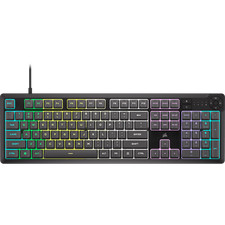 Corsair K55 CORE RGB Gaming Keyboard 10 Zone RGB Membrane Gray Certified Refurb$17.13
 RGB Gaming Keyboard and Mouse Combo Wired USB LED Backlit for PC PS4 Xbox$19.99
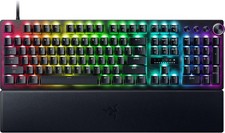 Razer Huntsman V3 Pro 8KHz Wired Keyboard Black Certified Refurbished$119.99
 Razer Ornata V3 X Wired Membrane RGB Gaming Keyboard Certified Refurbished$29.99
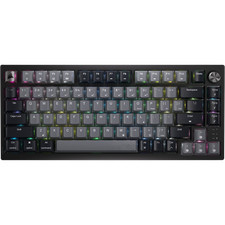 Corsair K65 PLUS Wireless 75% RGB Hot-Swap Gaming Keyboard Certified Refurb$53.55
 Corsair K55 RGB PRO Gaming Keyboard 5 Zone RGB Membrane IP42 Certified Refurb$23.71
 Corsair K70 CORE TKL Wireless RGB Mechanical Keyboard MLX Red Certified Refurb$51.12
 Gaming Keyboard and Mouse Combo - LED Backlit RGB Keyboard - Desktop Keyboard$24.76












