|
>> If you dont know how to design a userbar, then write here a Userbar that you want.
>> If you know how to design them help these people and design what they request.
|
 |
|
USERBARS.org | Free Forum Userbars
| On eBay now |

Mercista POS Invoicing Inventory Accounting Software Windows 10/11 Lifetime USB
$34.99

Mercista – Business Management Software for Windows USB Edition · Lifetime License for One Computer · Works Offline Invoicing, point of sale, inventory, purchases, customer accounts, reports and accounting in one program. Brand new, shipped on a USB flash drive. What You Receive - USB flash drive with the Mercista installer
- User Guide (PDF, 50 pages) on the drive
- Printed activation card with step-by-step instructions
- One lifetime license key for ONE computer, issued after purchase (see Activation)
Main Features - Invoices, quotations, delivery notes, credit notes (returns) and receipt vouchers
- Quick-sale (point of sale) screen with barcode scanning and thermal receipt printing
- Stock control: batches and expiry dates, serial numbers, units, multiple warehouses, transfers, stocktake, write-offs, barcode labels and reorder reports
- Purchases, suppliers, expenses and delivery companies (cash on delivery)
- Customer accounts and statements, retail and wholesale price tiers
- Reports: sales, profit, receivables and payables aging, stock valuation and more
- Automatic accounting: journal, general ledger, trial balance, income statement, balance sheet and cash flow
- Audit log, user accounts with roles and a PIN lock
- 18 interface languages; documents can be printed in two languages at once
- E-invoice file export (UBL 2.1 XML, e.g. PEPPOL BIS Billing 3.0)
Privacy & Backup - Your data stays on your own computer; the program does not send it anywhere
- Optional AES-256 password encryption
- Automatic backups to folders you choose, such as an external drive or a cloud-synced folder
System Requirements - Windows 10 or Windows 11
- Microsoft Edge or Google Chrome installed (most computers already have one)
- No internet connection and no administrator rights needed to run the program
- A few megabytes of disk space for the program, plus room for your data
- A USB port to install from the flash drive
Try before activating: the program runs as a free trial (7 days or 100 operations) until you enter your key, so you can start working right away. Activation – One Key, One Computer - Install Mercista from the USB drive and open About → License.
- Send us the Device code shown there through messages, together with your order number.
- We reply through messages with a lifetime license key made for that computer. Paste it and press Activate.
The key keeps working if you reinstall Windows on the same computer. Replacing the motherboard or moving to another computer requires a new key. Each computer needs its own license. License Notice You are buying a non-exclusive, non-transferable license to use Mercista on one computer under its terms of use, which are shown in the program under About. The software and its copyright remain the property of the developer. The seller is the developer and copyright owner of Mercista. Please Note - The installer is not yet digitally signed, so Windows SmartScreen may show \"Windows protected your PC\". Click More info, then Run anyway.
- The data is stored on one computer; two computers cannot use the same data at the same time.
- Accounting and tax views are generated from your own data and are not accounting or tax advice. The e-invoice export follows the standard format but is not an approval by any tax authority; check your country\'s rules.
- A lost data password cannot be recovered, so keep your own backup.
- Photos show screens of the program with its built-in sample data.
When you click on links to various merchants on this site and make a purchase, this can result in this site earning a commission. Affiliate programs and affiliations include, but are not limited to, the eBay Partner Network.
|
|
|
|
|
|

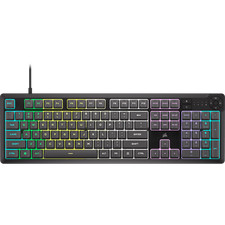 Corsair K55 CORE RGB Gaming Keyboard 10 Zone RGB Membrane Gray Certified Refurb$17.76
 Razer Huntsman V3 Pro TKL Analog Optical Esports Keyboard$164.99
 Razer Ornata V3 Wired Mecha-Membrane RGB Gaming Keyboard Certified Refurbished$52.99
 SteelSeries Apex 3 TKL Wired Gaming Keyboard Lavender Certified Refurbished$29.99
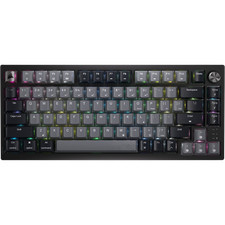 Corsair K65 PLUS Wireless 75% RGB Hot-Swap Gaming Keyboard Certified Refurb$53.55
 RGB Gaming Keyboard and Mouse Combo Wired USB LED Backlit for PC PS4 Xbox$19.99
 Corsair K55 RGB PRO Gaming Keyboard 5 Zone RGB Membrane IP42 Certified Refurb$24.96
 Snpurdiri 60% Wired Gaming Keyboard, RGB Backlit Ultra-Compact Mini Keyboard$11.99












