These are the factory preload disks for the Korg Triton Rack. If you need to reload your factory setting then these are the disks you need.
Loading the Preload Disks
Insert Disk 1 into the disk drive, then press the DISK key.
1. Press to highlight PRELOAD.SNG :
2. Press the Page menu button Load in the upper right corner of the display.
3. Press Load selected from the popup menu that appears, and a dialog box will appear in the display.
4. Check the boxes Load PRELOAD.PCG too and Load PRELOAD.KSC too. A radio button will indicate
Clear, which means that the sample data you load will overwrite any previously loaded sample datafrom
the beginning of the sample memory area. (Note: If you were to select Append, the new samples
would load into the unused portion of sample memory - for now, make sure Clear is selected).
5. Press OK. The factory data will load. When the PRELOAD.KSC file loads, the display will indicate
Where is a GOSPE000.KMP file. At this point, the TRITON is looking for the sample data that the
PRELOAD.KSC script file is pointing to.
6. Eject disk 1 from the drive and insert disk 2, then press once - anywhere
on the display. The display will now recognize the new disk, and the PRELOAD folder will be
highlighted.
TRITON Training Guide
10
7. Press Select at the lower-right of the display. All of the sample data in the PRELOAD folder will load.
The display will then indicate \"Writing into memory\" - the data is loading into the TRITON\'s flash
memory area.
Any files on this disk are being provided free of charge and are readily available for download on the internet. We are charging only for the disk and labor involved in preparing the disk for your use.
When you click on links to various merchants on this site and make a purchase, this can result in this site earning a commission. Affiliate programs and affiliations include, but are not limited to, the eBay Partner Network.

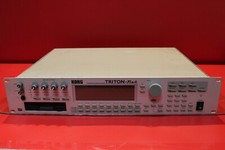 USED Korg Triton Rack Expandable Hi Module Sampler Synthesizer U1937 230804$224.79
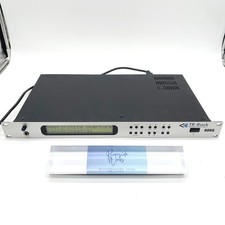 KORG TR-RACK Sound Module Synthesizer Used Tested$397.99
 Korg TR-RACK EXPANDED ACCESS MODULE 1U rack trinity tr rack$350.00
 KORG TRITON RACK SYNTHESIZER sound source module multitimbral Tested$489.99
 KORG Triton Rack Sound Module ARMENS$749.00
 KORG TRITON Rack LUX Custom ASTN LED Display $176.63
 Korg Triton Rack NOS Mint in Box Rackmount 60-Voice Polyphonic Workstation Synth$2,000.00
 Korg Triton Rack Synthesizer/Sampler Workstation Ver 1.5.1 w/ power supply$580.00
 www.userbars.org














