Desktop Monitor Stand Compatible with Corsair Xeneon Edge
- SCREEN BESIDE YOUR WORK — When your display needs a place near your keyboard, this desktop monitor stand supports it over the keyboard\'s top edge, keeping the screen in the same area as the keys you use throughout the day. It rests on your desk and holds your display for viewing without holding it in your hand, whether you are getting started at the office or settling into your personal setup.
- CLEAR KEYBOARD CABLE PATH — Keep your keyboard cable running between the sections of the split foot instead of routing it around a solid base when you arrange your workstation. The opening lets the stand straddle that cable at the keyboard\'s top edge, so your cable has a way through the support while you position your display near the keys for a morning of desk work or an evening at your desk.
- ROOM FOR DISPLAY CABLES — Your display needs its cable connections as well as a place to sit, and the cutouts give those cables room at the stand instead of leaving their path out of the setup. Use those openings when arranging your display on your work surface, keeping the cable route part of the layout from the start whether you are organizing an office desk or putting together a personal workstation.
- COMPACT KEYBOARD PLACEMENT — Bring your display into the space along your keyboard\'s top edge with a compact stand whose thin foot accommodates that layout on your desktop. The foot has some bounce while holding your display rather than staying completely rigid, a tradeoff to account for when choosing a support for a workstation arranged around your keyboard.
- DIRECT DISPLAY ATTACHMENT — Fasten your display to the stand before placing it at the keyboard, giving the screen its connection to the support as you put your desktop layout together. 5mm screws used for attachment ready when gathering what you need to position your display and arrange its cables at your workstation. WHAT\'S IN THE BOX — Only the item named in the title. No hardware is included (see the description).
You want your display near your keyboard, but the screen and the cables both need room on your desk. Putting the support where you want it means accounting for the keyboard cable as well as the display connections.
This compact desktop monitor stand gives your display a supported place over your keyboard\'s top edge. It rests on your work surface, holding the screen for viewing without keeping it in your hand. The thin foot accommodates that over-keyboard placement, bringing your display into the area where you already work rather than making its position an afterthought.
The split foot leaves a path for your keyboard cable between its sections. Position the stand so it straddles that cable, then use the display-cable cutouts to accommodate the connections running from your screen. These separate openings account for both cable routes: one at the keyboard and the others at the display. Your layout starts with room for the connections, not just the screen itself.
The thin foot has some bounce while supporting your display; it is not a completely rigid base. Attach your display using 7.5mm screws, then arrange the stand and cables around your keyboard. This is a plastic part, with the compact shape and thin foot serving the keyboard-edge placement.
For an office workstation or a personal computer desk at home, this stand is for people who want their display close to their keyboard and their cable paths accounted for. Whether you are setting up a work area or rearranging the desk you use each evening, it gives your screen a place in a layout built around the keys in front of you.
HARDWARE NOT INCLUDED: Only the item named in the title is in the box. Every setup is different: depending on yours, mounting it or attaching it to an existing part may use hardware you already have, such as the original screws, or you may need to buy your own screws, bolts, tape or adhesive to suit your situation. No hardware of any kind is included with this listing.
When you click on links to various merchants on this site and make a purchase, this can result in this site earning a commission. Affiliate programs and affiliations include, but are not limited to, the eBay Partner Network.

 Dual Monitor Stand Riser forDesk,Adjustable Length And Angle,Black Desktop Shelf$25.61
 HUANUO HNDS6 Dual Monitor Stand 13-32" FlowLift Gas Spring VESA Desk Mount$38.79
 Dual PC Monitor LED LCD Swivel Free Standing Desk Mount Stand 21 22 23 24 26 27"$26.99
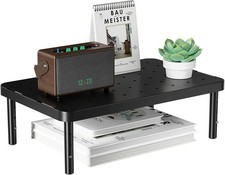 Computer Monitor Stand Riser for Desk 3 Height Adjustable Pc Laptop Tv Desktop$16.81
 New Computer Monitor Booster Stand Desktop Monitor Stand Monitor Riser Stand$20.48
 VIVO STAND-V002F Dual Monitor Free-Standing Desk Stand Mount 13-27" VESA Black$20.85
 www.userbars.org














