|
>> If you dont know how to design a userbar, then write here a Userbar that you want.
>> If you know how to design them help these people and design what they request.
|
 |
|
USERBARS.org | Free Forum Userbars
| On eBay now |

Car Key Programmer For Toyota G H Chip Vehicle OBD Remote DIY Programming Device
$29.99

Description Save time and money with Toyota customers that just need a spare key programmed into their vehicles. This will not work for you if your customer lost all of their keys, but it is an extremely affordable option when you have access to one working key. How To Use: To Add Another Transponder Key - Flip switch on the programmer to the LEFT.
- Close all doors.
- Insert the original key into the ignition and turn the key to the ON position.
- Insert the programmer into the OBD2 port. The programmer will beep twice indicating the beginning of the programming process. After a short pause, the programmer will beep several more times and the vehicle\'s anti-theft light will illuminate.
- Once the anti-theft light turns on, remove the customer\'s original key (anti-theft light will flash) and insert the new key into the ignition (DO NOT TURN KEY). Anti-theft light will extinguish when key has been programmed.
To Program New Remote - Flip switch on the programmer to the RIGHT.
- Close all doors.
- Insert the original key into the ignition and turn the key to the ON position.
- Insert the programmer into the OBD2 port. The programmer will beep twice indicating the beginning of the programming process. After a short pause, the programmer will beep several more times and the vehicle\'s anti-theft light will illuminate.
- Open the driver\'s door. The programmer will begin beeping.
- Press both the LOCK and UNLOCK buttons at the same time on the new remote.
- Release both buttons.
- Press the LOCK button.
When you click on links to various merchants on this site and make a purchase, this can result in this site earning a commission. Affiliate programs and affiliations include, but are not limited to, the eBay Partner Network.
|
|
|
|
|
|

 THINKCAR TKEY 101 Car Key Programmer + 6 Remote Key Units For 892BT Pro 689BTpro$139.00
 THINKCAR TKEY 101 IPRO TPMS Car Key Programmer For MUCAR 892BT PRO 689BT PRO$139.00
 MUCAR 892BT PRO + Tkey 101 J2534 Topology Car Key Programmer Key Matching IMMO$879.00
 2026 NEW TOPDON Car key Fob Programmer Automotive key Coding Disgnosic Tools$99.00
 Universal EZ Installer DIY Car Key Fob Programmer OBD2 Smartphone App CKE$69.99
 THINKCAR TKEY101 Car Key Programmer with 6 Remote Keys$99.00
 THINKCAR TKEY101 Key Fob Programmer For Thinkscan 689BT/MUCAR 892BT Scan Tool$139.00
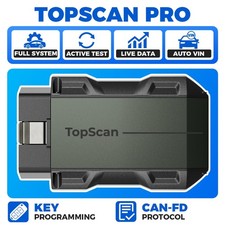 2026 TOPDON PRO Car Key Programmer Pin Code Reader All Key Lost Programming Tool$99.00












