Connectivity: Advanced 2.4 GHz wireless RF. Gives you a range of up to 10-meters range. SIMPLE SETUP ¨C Generic USB controller, if your device accepts USB controller input, JUST PLUG AND PLAY! Also come with a SNES adapter, used for the SNES console.Supported Device & Operating System: Windows PC, Notebook Computer, Laptop Computer, Linux Raspberry Pi, iOS Mac and SNES. Super sensitive buttons for precision control. Third party controller not original SNES gamepad, but it works phenomenalPlease Note: DO NOT SUPPORT ANDROID TV BOX, C64(Commodore 64), Google Chromebook, Amazon Fire TV, Steam, Tesla Model. Do not support ONLINE games2.4 GHz Wireless Controller Game pad Compatible with SNES & PC, with SNES & USB Receivers, Support Windows PC, IOS MAC, Linux Raspberry Pi and SNESWidely Compatible with SNES Retro Games
Use a SNES Original port(included), mainly works with SNES original console.
Use a USB 2.4 GHz receiver( included), it can run Windows and Mac OS X and Raspberry PI or Switch.Not support SNES Mini and Retro Bit Duo 2 in 1 Console System for SNES/NES.
Not works for Mini Classic Game Console and New 3DS XL.Feature:
- Wireless SNES Controllers: Features advanced 2.4 GHz wireless RF, provides you a range of up to 10-meters range, no messy bother wire.
- Plug and Play: Comes with USB controller and SNES controller, plug and play, it can be used natively without drivers or patches.
- Supported Device & Operating System: Original SNES super NES entertainment system console; iOS Mac, Windows PC, Linux Raspberry Pi, laptop computer.
- NOTE: Do NOT support Android TV BOX, C64(Commodore 64), Google Chromebook, Amazon Fire TV, Steam, Tesla Model. Do not support Online games.
- Battery Life: Battery capacity: 500mA; Charging Time: 2.5 hours; Usage Time: 16 hours. This super nintendo wireless remote has a battery life of up to 3 years.
- Third Party Product: Please kindly noted this wireless super SNES controller is not original SNES gamepad.
Package contents: 1 x nintendo controllers, 1 x SNES receiver, 1 x USB receiver.
Customers Frequently Asked Questions:
Q: 1. What can of application do I need to download to use this controller?
A: No application needed. Plug it in and your PC or Respberry Pi will recognize it.
Q: 2. Can I use it to play online games?
A: No, this controller not supports online games.
Q: 3. Why my controller inputting both joystick and keyboard buttons?
A: What emulator are you using? Difficulty on mapping the buttons depends on the emulator. We recommend using SNES9X on PC, OpenEmu on Mac, Retropie on Respberry Pi.
Q: 4. After running a configuration through retroarch,when i connect the controller to my retropie/raspberry pi 2,the pi doesn\'t detect it.what\'s wrong?
A: You can try powering down and booting back up with the controllers connected. or rebuild retropie.
Q: 5. Can you configure the buttons to specific keys? I want to program buttons for shortcut commands like CTRL+Z, for example.
A: This can be accomplished with 3rd party software that maps joystick buttons to keyboard controls such as Xpadder, AutoHotKey, or EventGhost.
Q: 6. Compatible with SNES?
A: Sure, but please do not confuse the versions, this is for the old snes, not for the Super NES Classic Edition (which also known as Classic Mini, SNES Classic Mini), they have different interfaces.
Tips:
1. Plug in the controller first before open the emulator or power on the raspberry pi, so your device could detect the controller easily.
2. SNES9X is perfect emulator for Windows PC.
3. RESET the controller before the first use.
4. If you couldn\'t configure input correctly, please contact us and tell us your device and emulator, we could help to solve it.
When you click on links to various merchants on this site and make a purchase, this can result in this site earning a commission. Affiliate programs and affiliations include, but are not limited to, the eBay Partner Network.

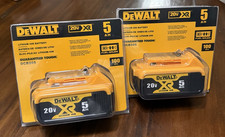 2 Pack DCB205 20V Max XR 5.0Ah Lithium-Ion Battery New DCB205-2 Sealed Battery$69.99
 2XL Food Service No Rinse Surface Sanitizing Wipes 2-Pack (2XL446)$50.00
 (2 Pack) CogniClear Liquid Drops – Cogni Clear Memory Focus Brain Support$29.95
 Lennox X6672 Carbon Clean 16" x 25" x 5" MERV 16 - 2 Pack$113.84
 2 Pack DCB205 20V Max XR 5.0Ah Lithium-Ion Battery New DCB205-2 Sealed Battery$69.99
 (2 PACK) Nioxin System #2 Liter Duo (Shampoo and Conditioner), 33.8 oz$39.99
 2PACK 18V For Dewalt 18 VOLT XRP DC9096 DC9098 Lithium Battery DC9099 DC9096-2$42.90
 2Pack 2 in 1 Wooden Handle Multi Functional Vegetable Peeler With Bottle Opener$6.99
 www.userbars.org














