Wireless Shock Game Controller Game Pad Joystick Dual Analog for Nintendo Switch NGC GC Console, Windows PC, Mac, Raspberry Pi
Specifications:
Enjoy multi-device compatibility with the inclusion of two receivers.The USB receiver supports Windows PC, Mac, Raspberry Pi, Switch, and Switch Online, while NGCreceiver is specifically designed for GameCube NGC Console.NOT applicable to Wii Console.
The items features automatic or manualshooting function and external round bracket cross key is more suitable forsome Popular games,such as arcade, fighting, livefootball, the game handle is valuable.
The use of the fuel injection technologyand anti-sweat technology.
Using 2.4G wireless connection, you can control your favorite games from 10 feet away.
Built in 500mAh Rechargeable Battery, you can play over 10 hours through 2.5 hours fully charged.
Built-in vibration response for a personalized gaming experience.
Color: Clear Yellow
Package included:
1x WirelessNGC GameCube Switch OnlineController
1x GameCube Receiver
1x USB Receiver
1x Charging Cable
1x Instructions
Attention: If controller does not work.
1.Beforeuse, Pleaseensure the controller is fully chargedwhich could affect connection, it is recommended to use within 8 meters, without strong current interference.
2.For seamless detection, connect the receiver into the USB port prior to powering on your device or launching an emulator. If the controller is not detected during detection, consider restarting device.
3.Please be aware that there are slight differences in the pairing steps between PC and Nintendo Switch. When using the controller on a Nintendo Switch, ensure that the option“Pro Controller Wired Communication\"is set to“ON”.
Connection:How to connect controller to NGCand Switchconsole?
Turn on the NGC console and insert receiverinto,press and hold the“SYNC\"button on the receiver, then turn on the controller, press the“+”button and wait for LED 1 to remain illuminated, connected successfully.
*Note: before pairing of Switch, ensure system setting that“Pro Controller Wired Communication\"is“ON”.
THIS ITEM IS NOT MADE BY NINTENDO AND IT\'S A THIRD PARTY MANUFACTURED PRODUCT.
On Jul 2, 2024 at 00:54:18 PDT, seller added the following information:
When you click on links to various merchants on this site and make a purchase, this can result in this site earning a commission. Affiliate programs and affiliations include, but are not limited to, the eBay Partner Network.

 WS-MINI 2.4GHz Wireless Guitar Transmitter & Receiver 4 Channels Rechargeable$31.31
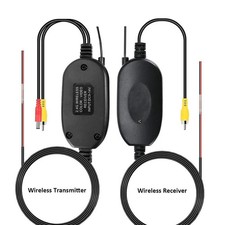 2.4 GHz wireless rear view camera car wireless transmitter receiver transmitter$76.27
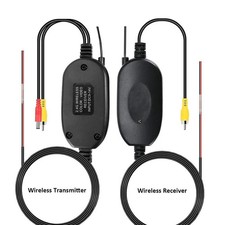 2.4GHZ Wireless Video Rear View Camera RCA Video Transmitter Receiver Monitor Camera$76.27
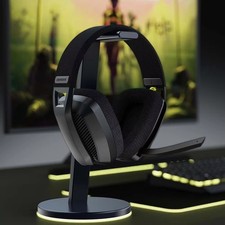 2.4GHz Wireless Gaming Headset with Mic$57.87
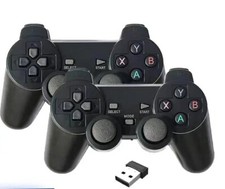 2 PCS 2.4Ghz Wireless Gamepad for Game Controller USB Joystick For PC Android TV$17.02
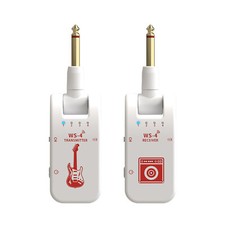 WS-4 2.4GHz Wireless Guitar System 8 Channels Transmitter Receiver Set White$34.03
 WS-MINI3 2.4GHz Wireless Guitar Transmitter & Receiver Magnetic Charging Caser$47.65
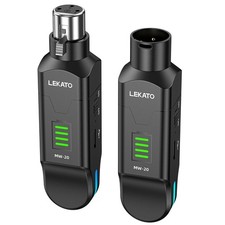 LEKATO Wireless Microphone Transmitter Receiver 2.4GHz Plug On XLR Rechargeable$49.28
 www.userbars.org














